Academic Project
2024
Overview
Overview
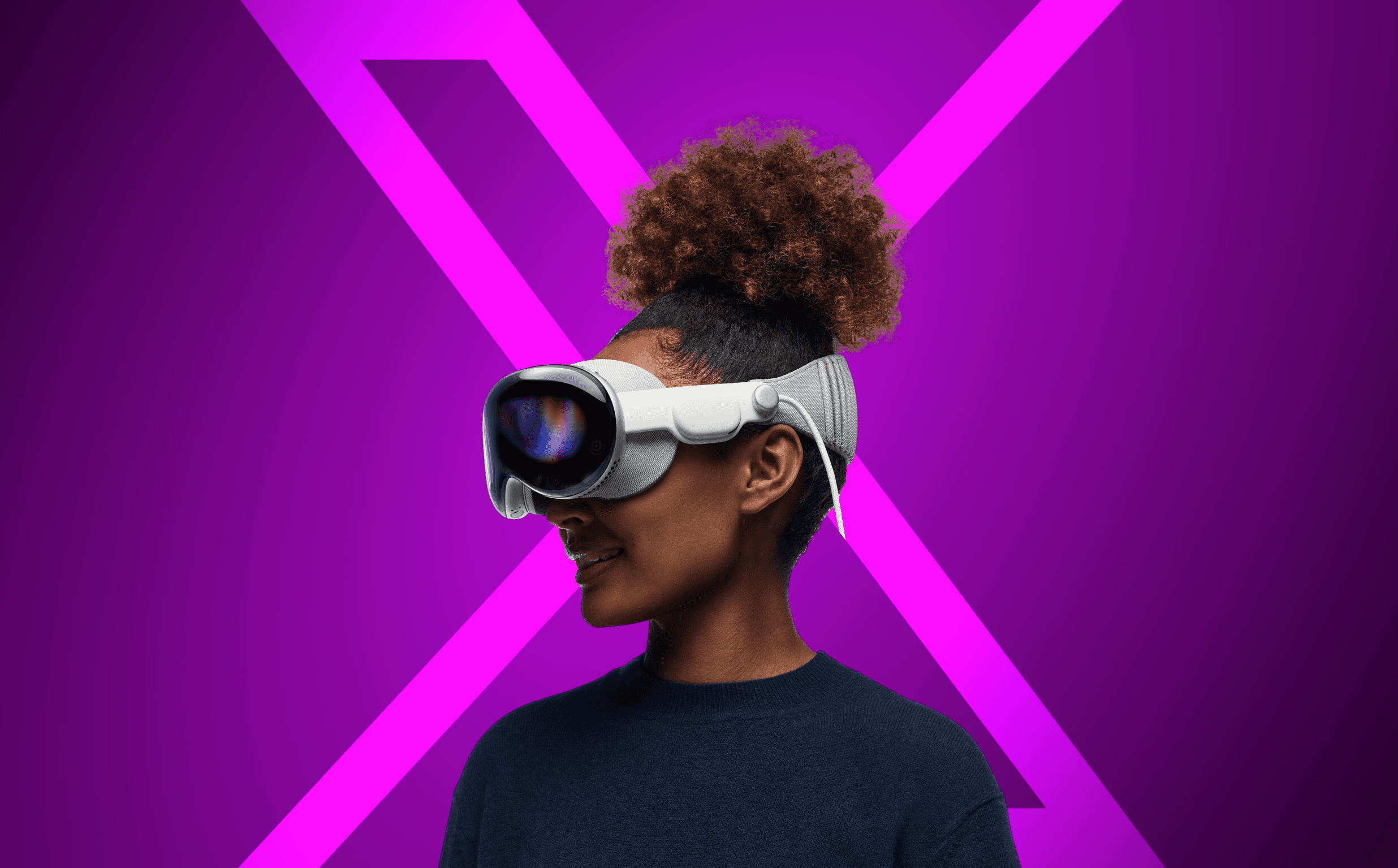
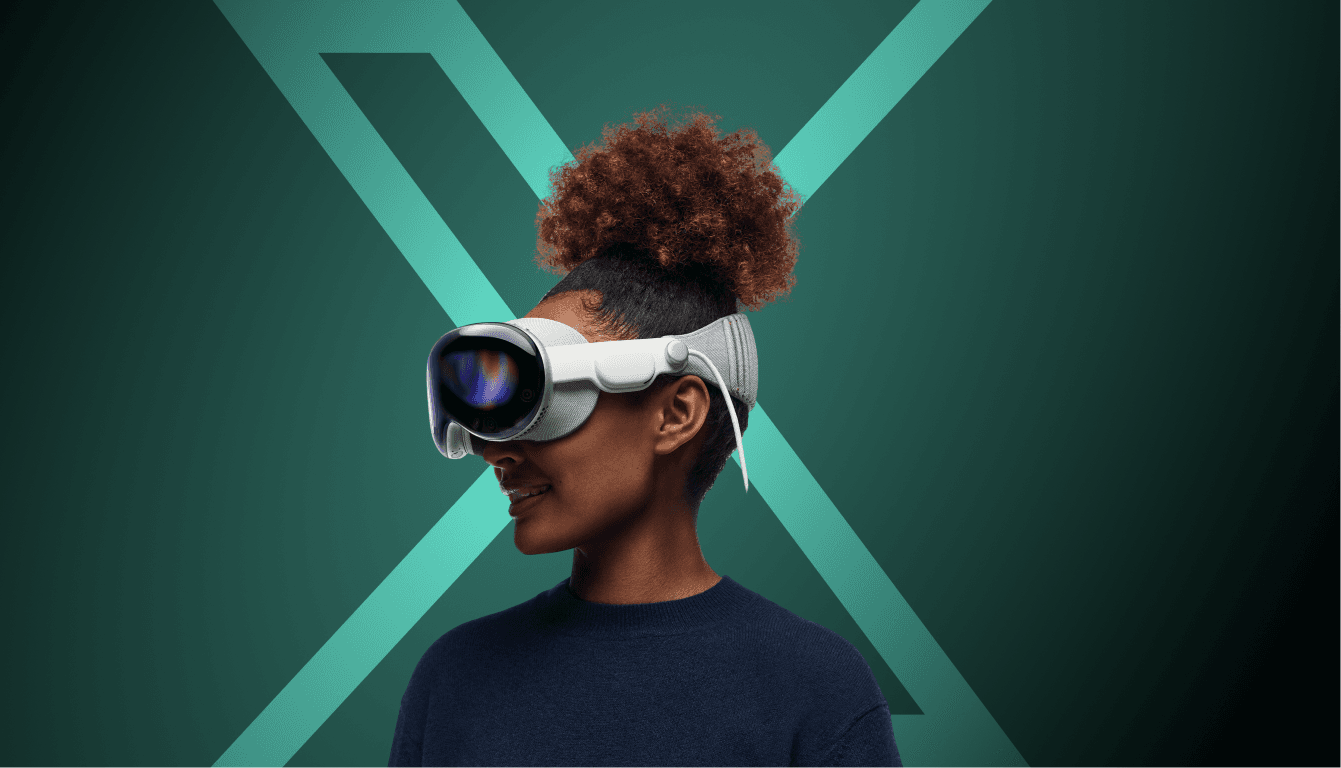
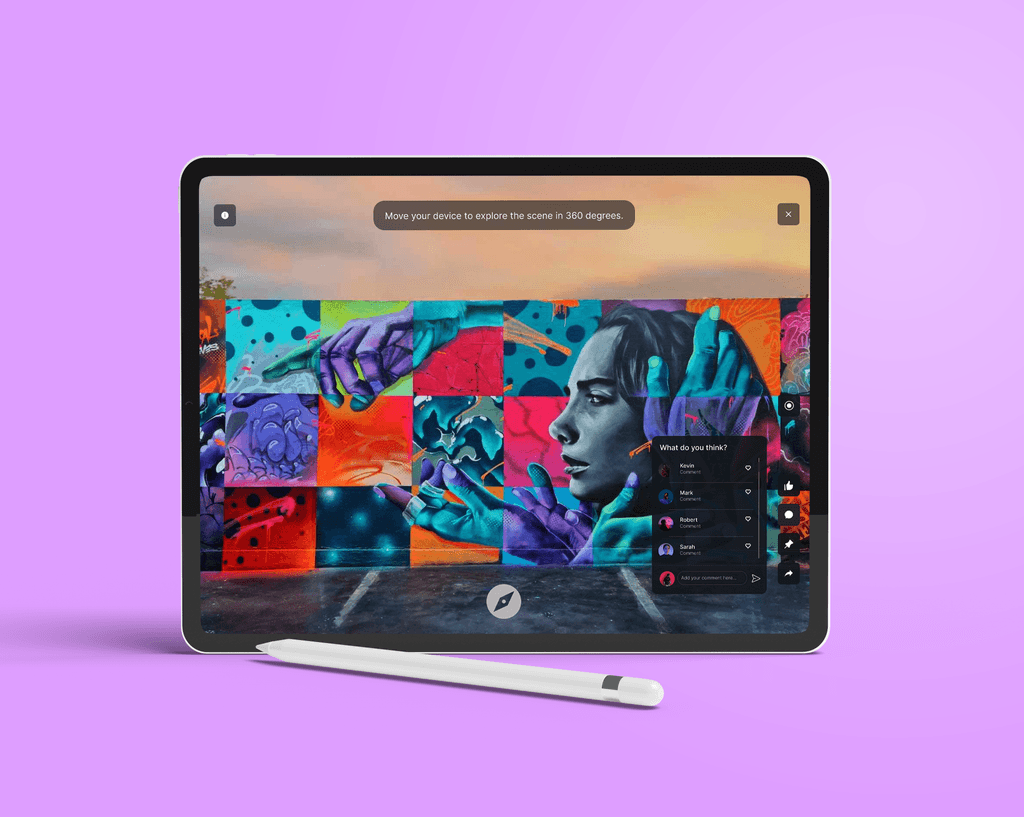
Digital Canvas is a geospatial augmented reality (AR) platform that transforms how users experience art. It enables artists to create and showcase digital installations in physical locations, accessible through mobile, web, and VR. The platform bridges traditional galleries and digital spaces, fostering creativity and inclusivity.
Digital Canvas is a geospatial augmented reality (AR) platform that transforms how users experience art. It enables artists to create and showcase digital installations in physical locations, accessible through mobile, web, and VR. The platform bridges traditional galleries and digital spaces, fostering creativity and inclusivity.
Role
Role
UX Researcher
UI Designer
UX Researcher
UI Designer
Team
Team
Ishaan, Zach,
Sneha, Abhishek
Ishaan, Zach,
Sneha, Abhishek
Tools
Tools
Figma, Adobe CC
Figma, Adobe CC
Duration
Duration
6 weeks
6 weeks
Challenge
Challenge
Create a geospatial AR platform that simplifies AR content creation for traditional and digital artists while bridging physical and digital art experiences.
Create a geospatial AR platform that simplifies AR content creation for traditional and digital artists while bridging physical and digital art experiences.
Opportunity
Opportunity
Empower artists with intuitive tools for AR creation and global visibility, while offering viewers immersive, location-based art interactions.
Empower artists with intuitive tools for AR creation and global visibility, while offering viewers immersive, location-based art interactions.
DESIGN Process
DESIGN Process
01
RESEARCH
RESEARCH
RESEARCH
initial problem discovery
site visits
competitor analysis
user interviews
waad
02
synthesis
synthesis
synthesis
user work role model
user persona
03
IDEATION
IDEATION
IDEATION
storyboarding
sketching
information architecture
04
design
design
design
wireframing
final design
prototype
05
USER TESTING
USER TESTING
USER TESTING
pilot testing
feedback
06
reflections
reflections
reflections
RESEARCH
RESEARCH
INITIAL PROBLEM DISCOVERY
Art remains confined by the limitations of physical galleries, leaving traditional artists struggling with digital tools and digital artists searching for ways to connect with audiences. This disconnect stifles creativity, collaboration, and visibility.
Simultaneously, viewers lack immersive ways to engage with art, as galleries and online platforms fail to offer accessible, interactive experiences.
Art remains confined by the limitations of physical galleries, leaving traditional artists struggling with digital tools and digital artists searching for ways to connect with audiences. This disconnect stifles creativity, collaboration, and visibility.
Simultaneously, viewers lack immersive ways to engage with art, as galleries and online platforms fail to offer accessible, interactive experiences.
SITE VISIT insights
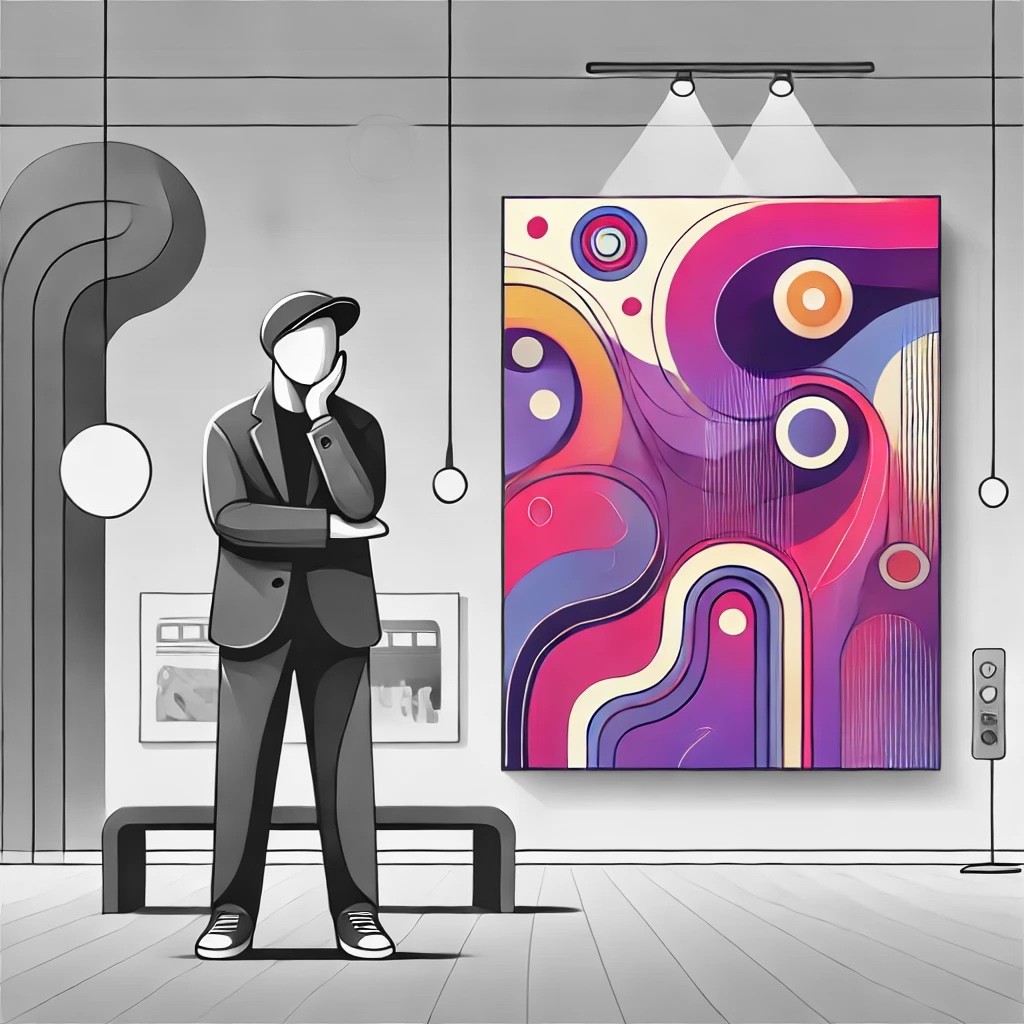
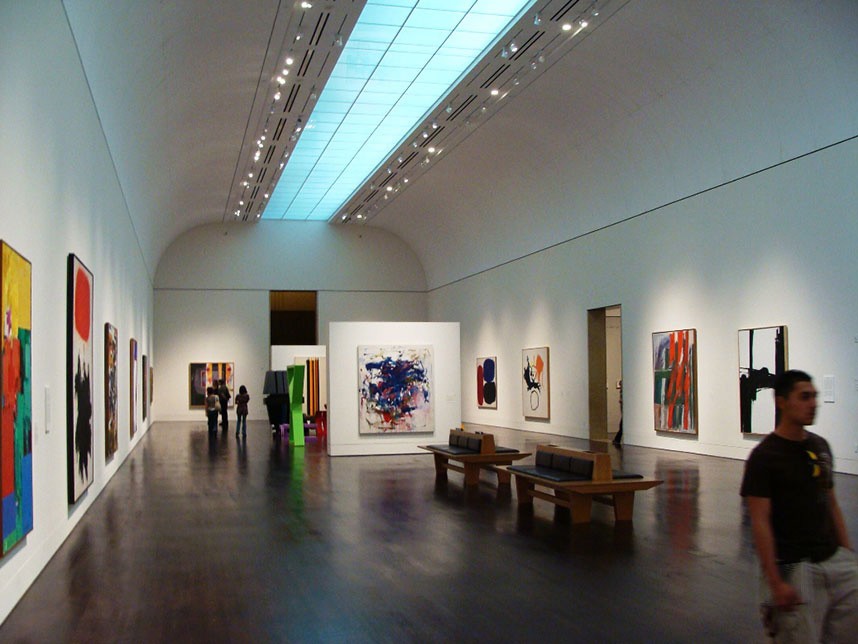
Museum spaces like the Blanton Museum of Art can feel overwhelming and limit accessibility for disabled individuals or first-time visitors due to their vast and complex layouts.
Museum spaces like the Blanton Museum of Art can feel overwhelming and limit accessibility for disabled individuals or first-time visitors due to their vast and complex layouts.
Traditional gallery settings often fail to provide visitors with ways to connect with artists after the visit or follow their work, reducing long-term engagement opportunities.
Traditional gallery settings often fail to provide visitors with ways to connect with artists after the visit or follow their work, reducing long-term engagement opportunities.
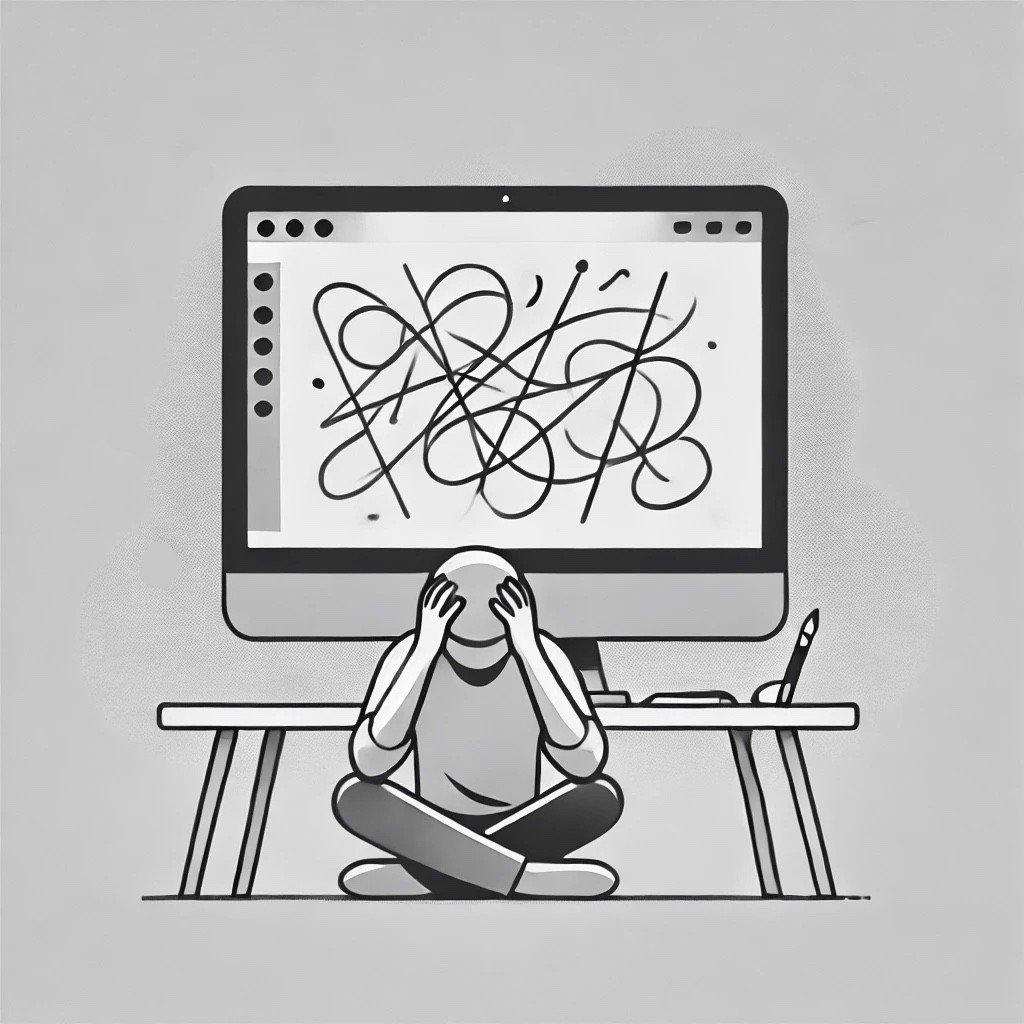
The physical confinement of gallery spaces stifles creativity by limiting artists' ability to experiment with dynamic or location-independent art forms.
The physical confinement of gallery spaces stifles creativity by limiting artists' ability to experiment with dynamic or location-independent art forms.
Competitor Analysis
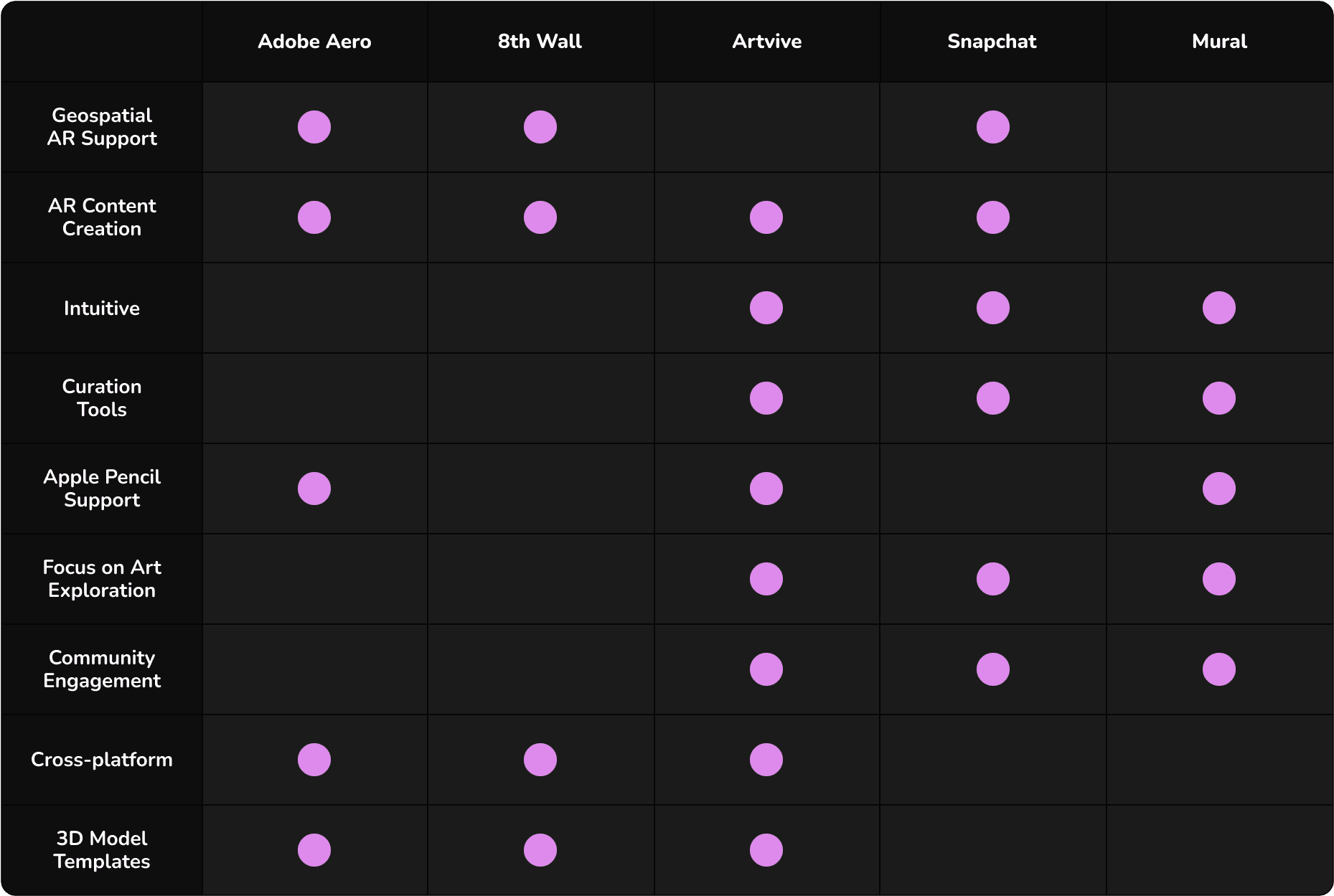
Although Digital Canvas is a unique concept, we analyzed platforms that integrate AR and immersive technology into art experiences, examining their approaches to enhancing creativity, accessibility, and engagement.
Although Digital Canvas is a unique concept, we analyzed platforms that integrate AR and immersive technology into art experiences, examining their approaches to enhancing creativity, accessibility, and engagement.
USER INTERVIEWS
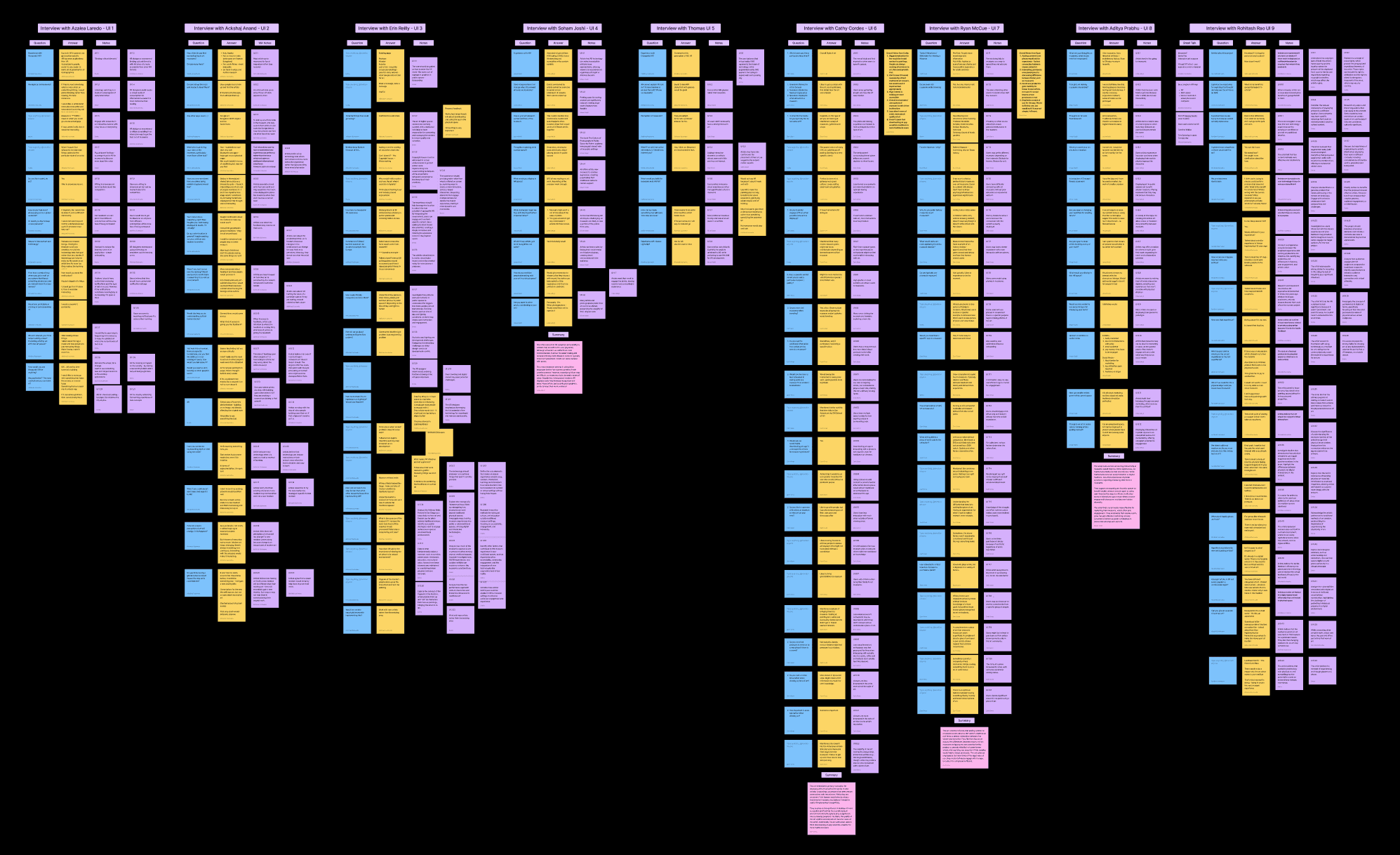
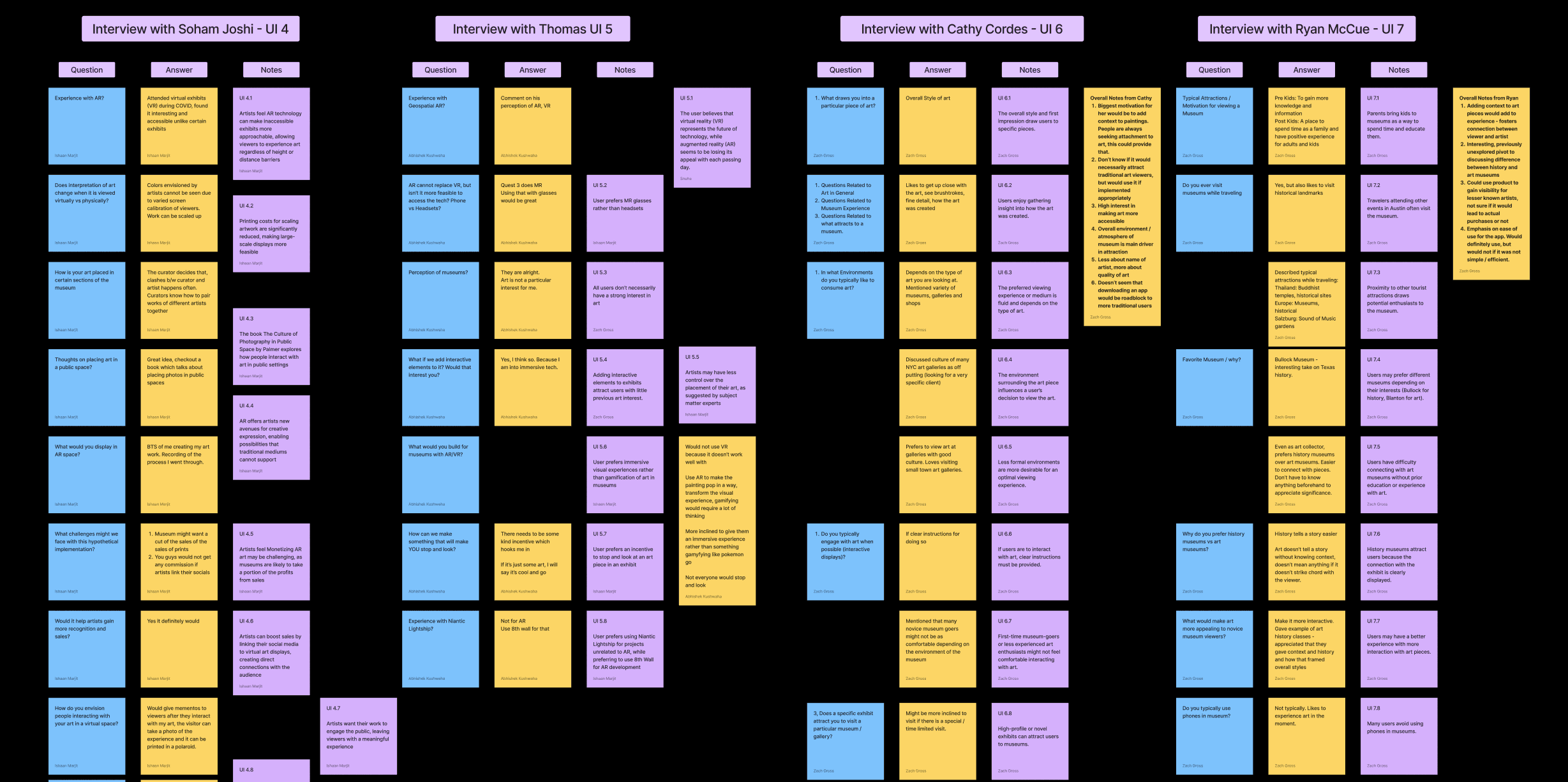
We conducted interviews with 9 Subject Matter Experts (SMEs), including artists, XR professionals, and museum curators, to uncover pain points, understand user needs, and assess the feasibility of integrating AR into art experiences.
We conducted interviews with 9 Subject Matter Experts (SMEs), including artists, XR professionals, and museum curators, to uncover pain points, understand user needs, and assess the feasibility of integrating AR into art experiences.
USER pain points
After conducting the interviews we gathered the following insights.
After conducting the interviews we gathered the following insights.
%
%
Reported a lack of immersive elements in traditional exhibits
%
%
Reported issues with curation due to technical or logistical barriers.
Hrs
Hrs
Reported for gaining familiarity with the platform's features
work activity affinity diagram
WAAD
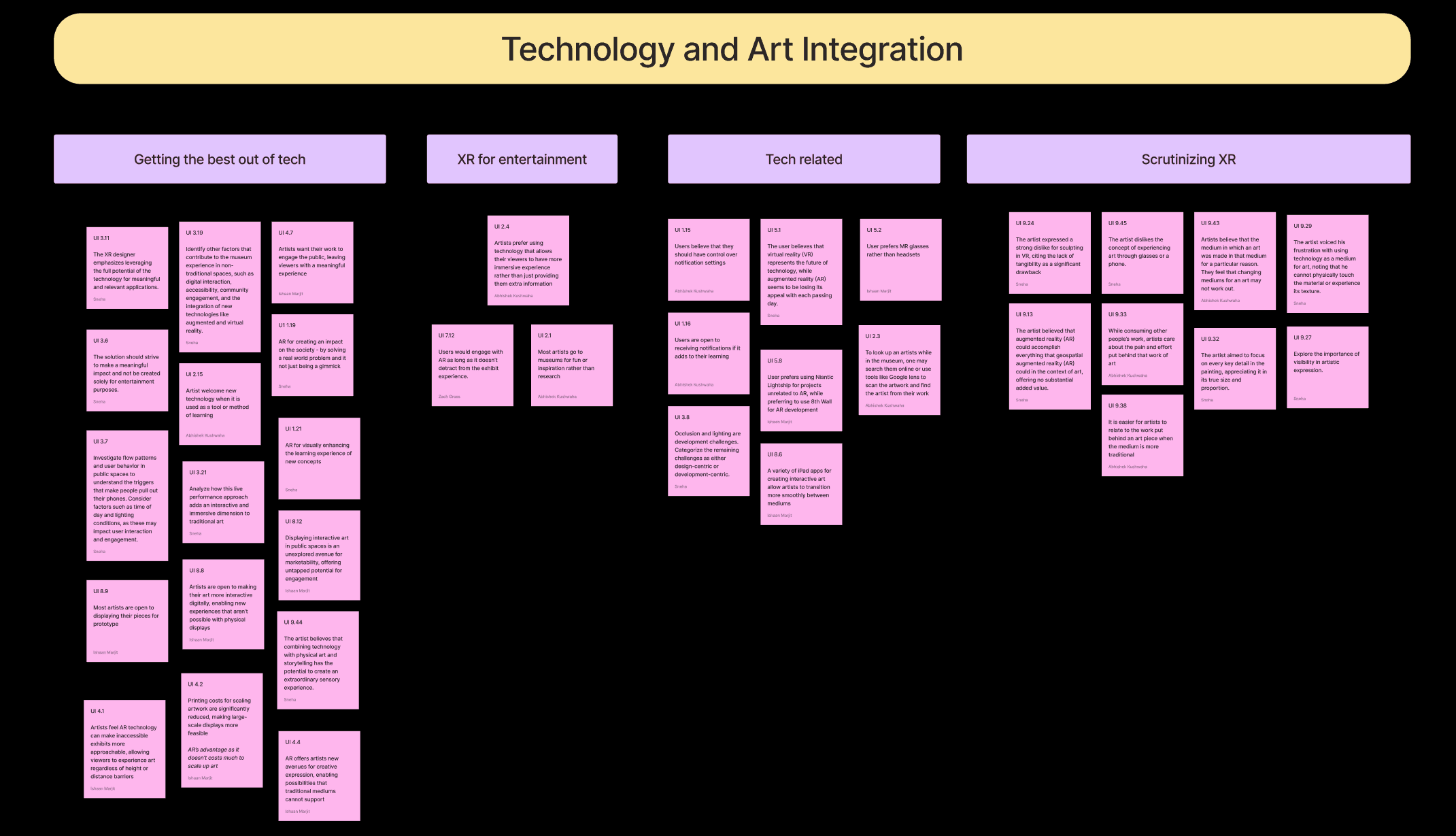
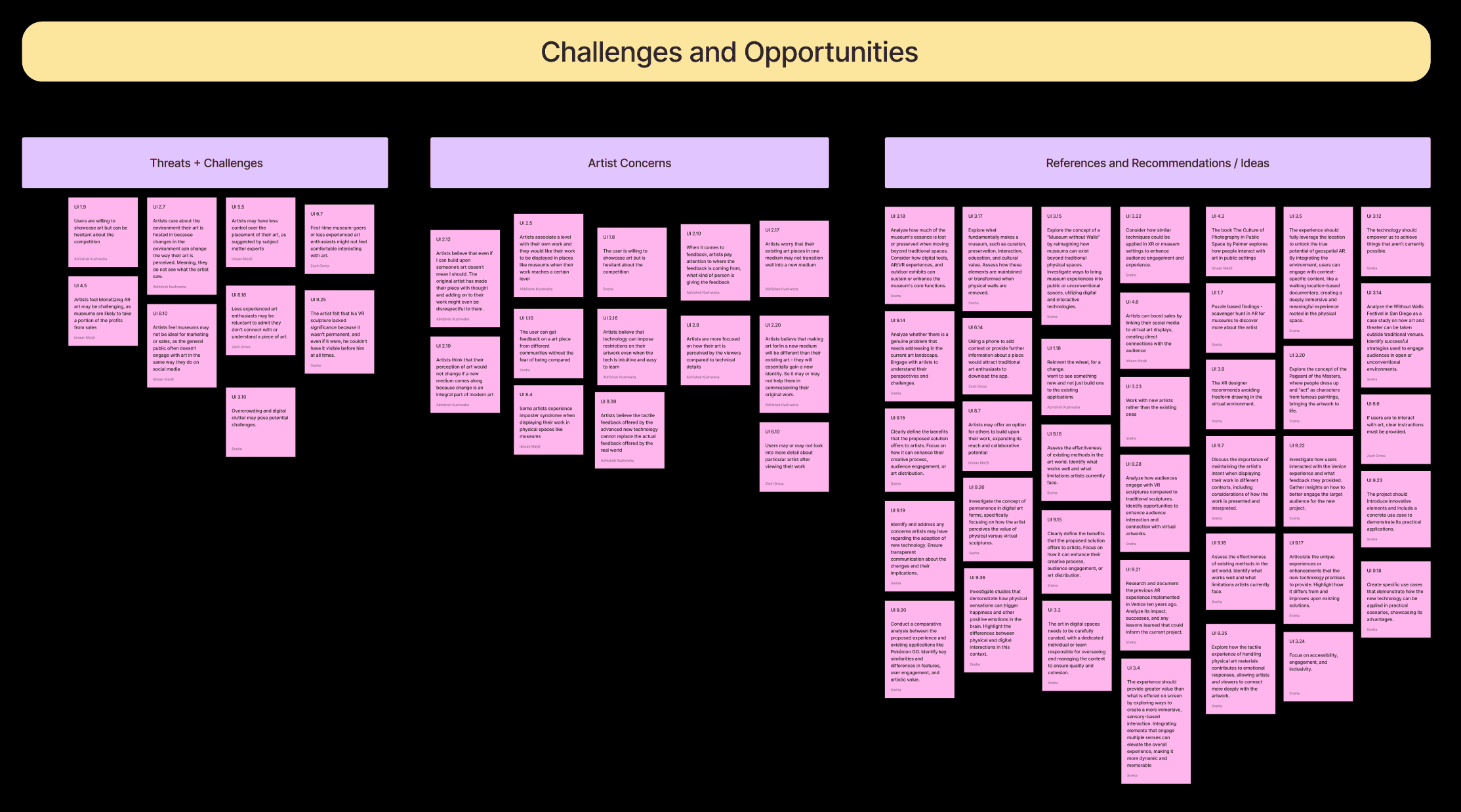
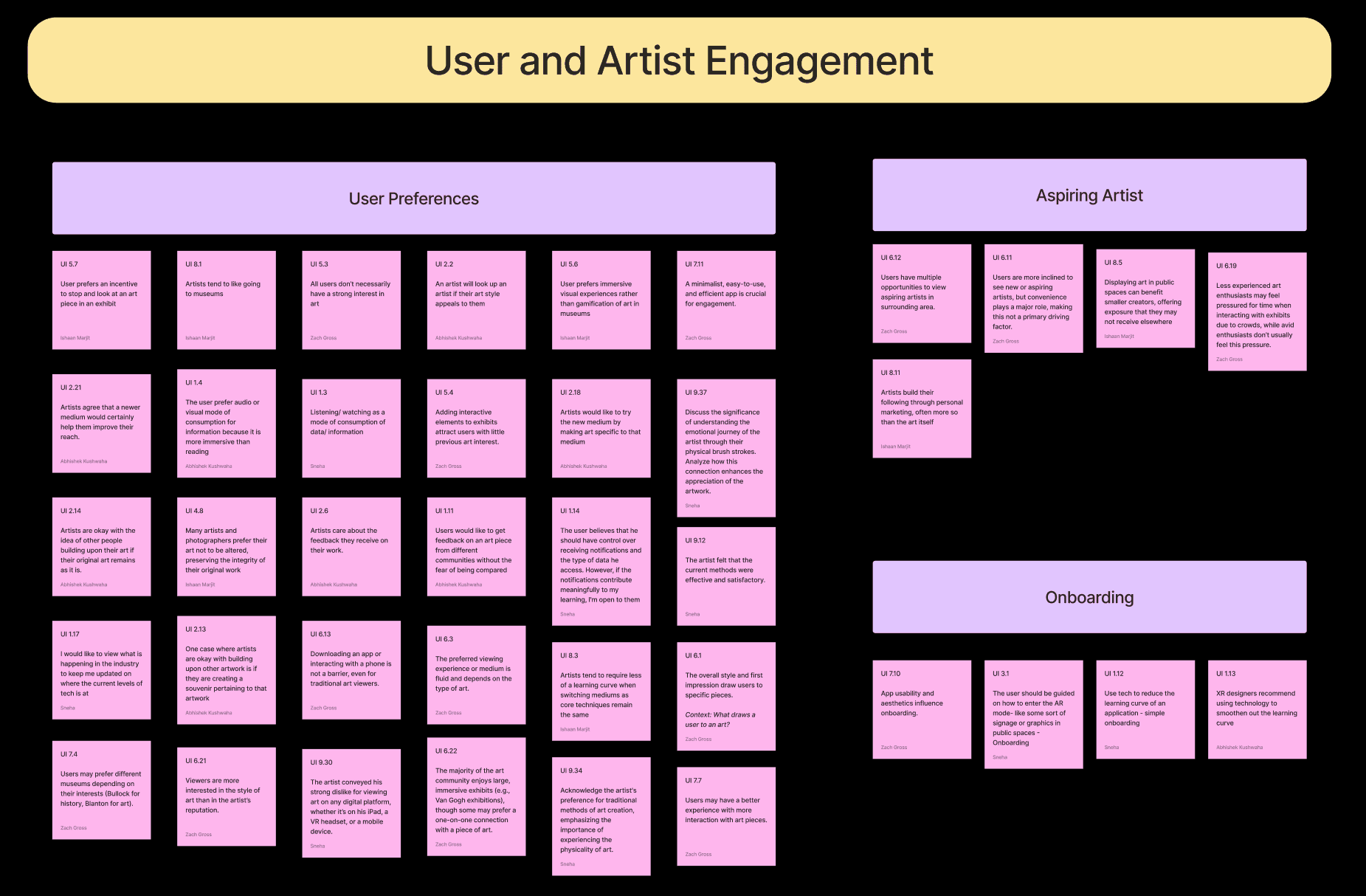
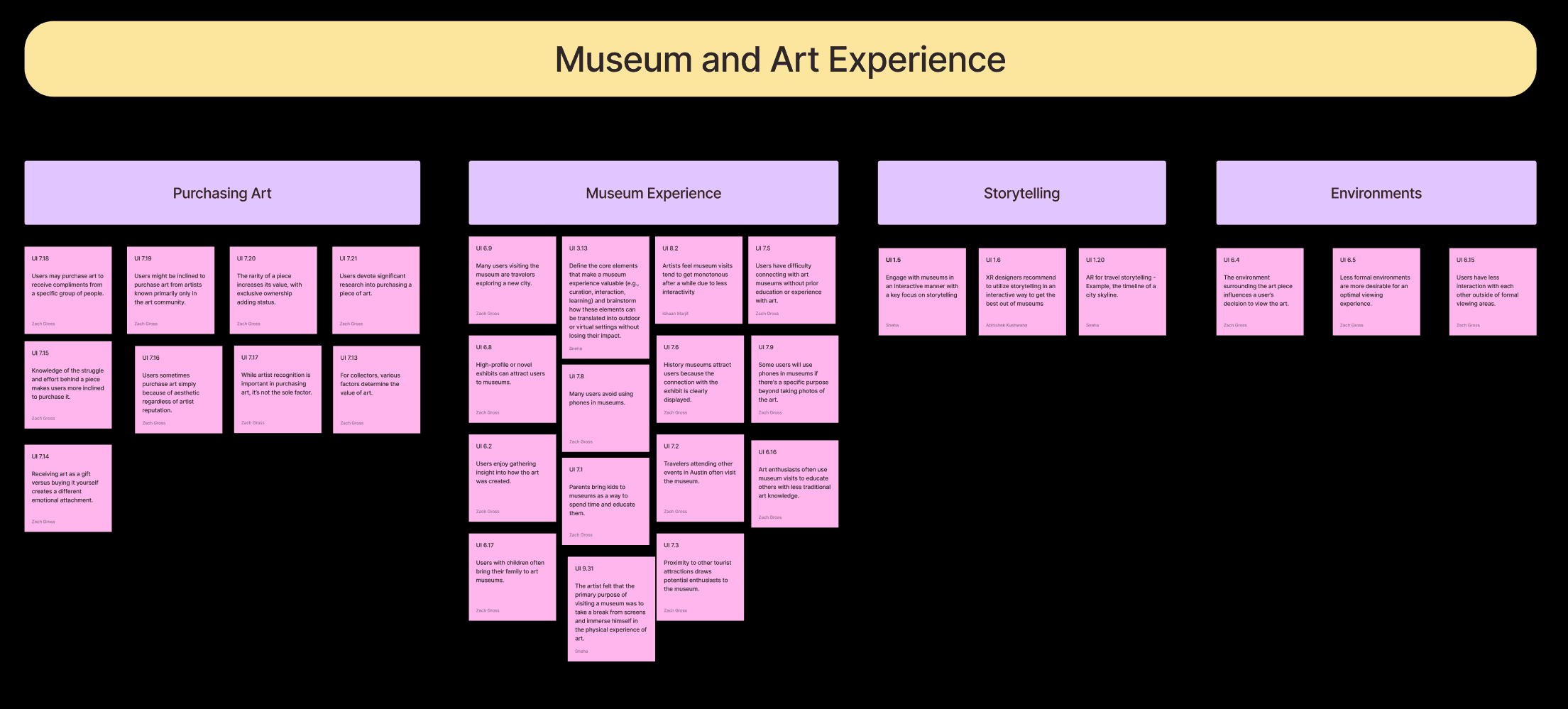
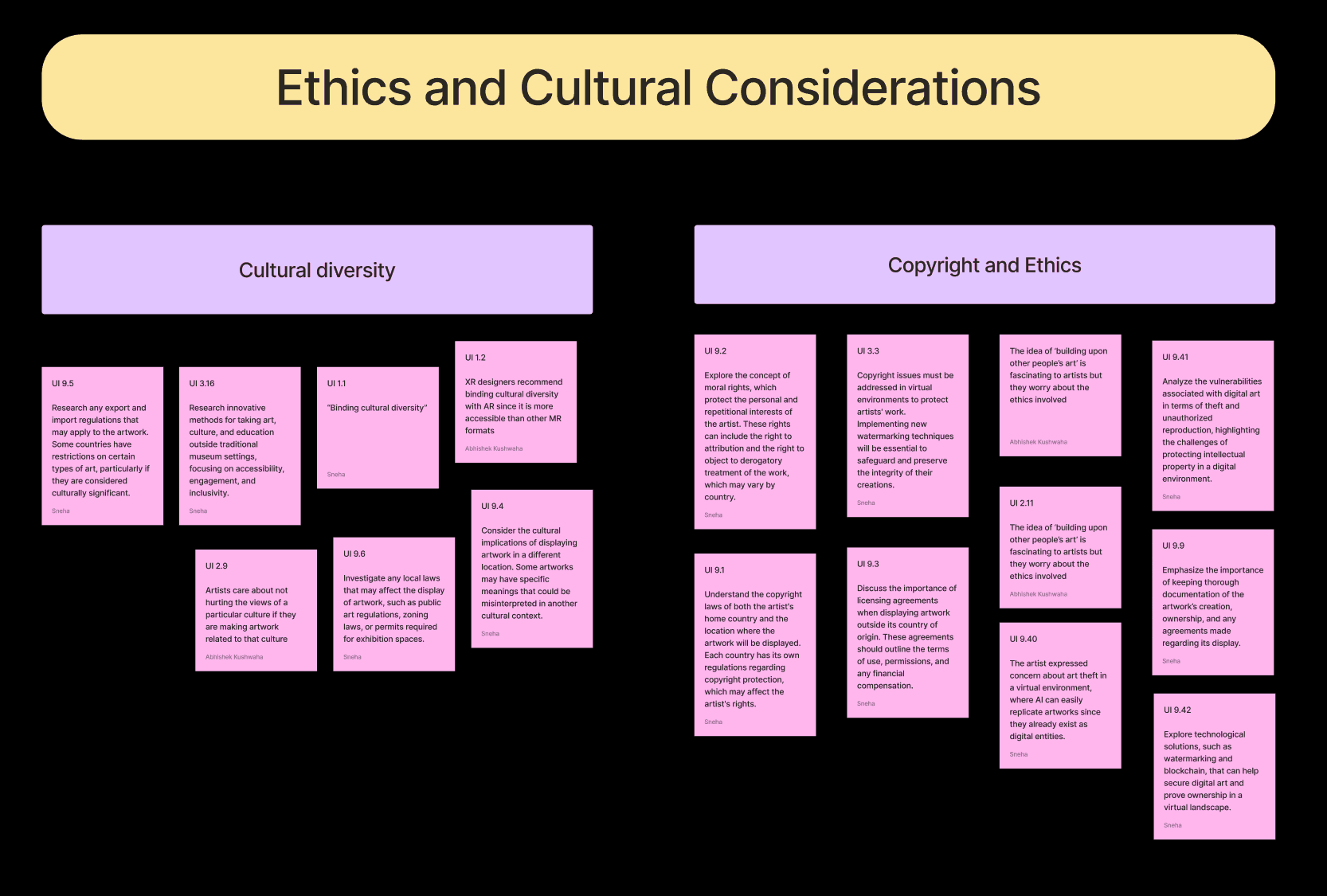
Based on insights gathered from user interviews, we created a Work Activity Affinity Diagram (WAAD) to cluster user activities, goals, and pain points into actionable themes. This process helped us identify key patterns and refine the focus for the synthesis phase.
Based on insights gathered from user interviews, we created a Work Activity Affinity Diagram (WAAD) to cluster user activities, goals, and pain points into actionable themes. This process helped us identify key patterns and refine the focus for the synthesis phase.
synthesis
USER WORK ROLE MODEL
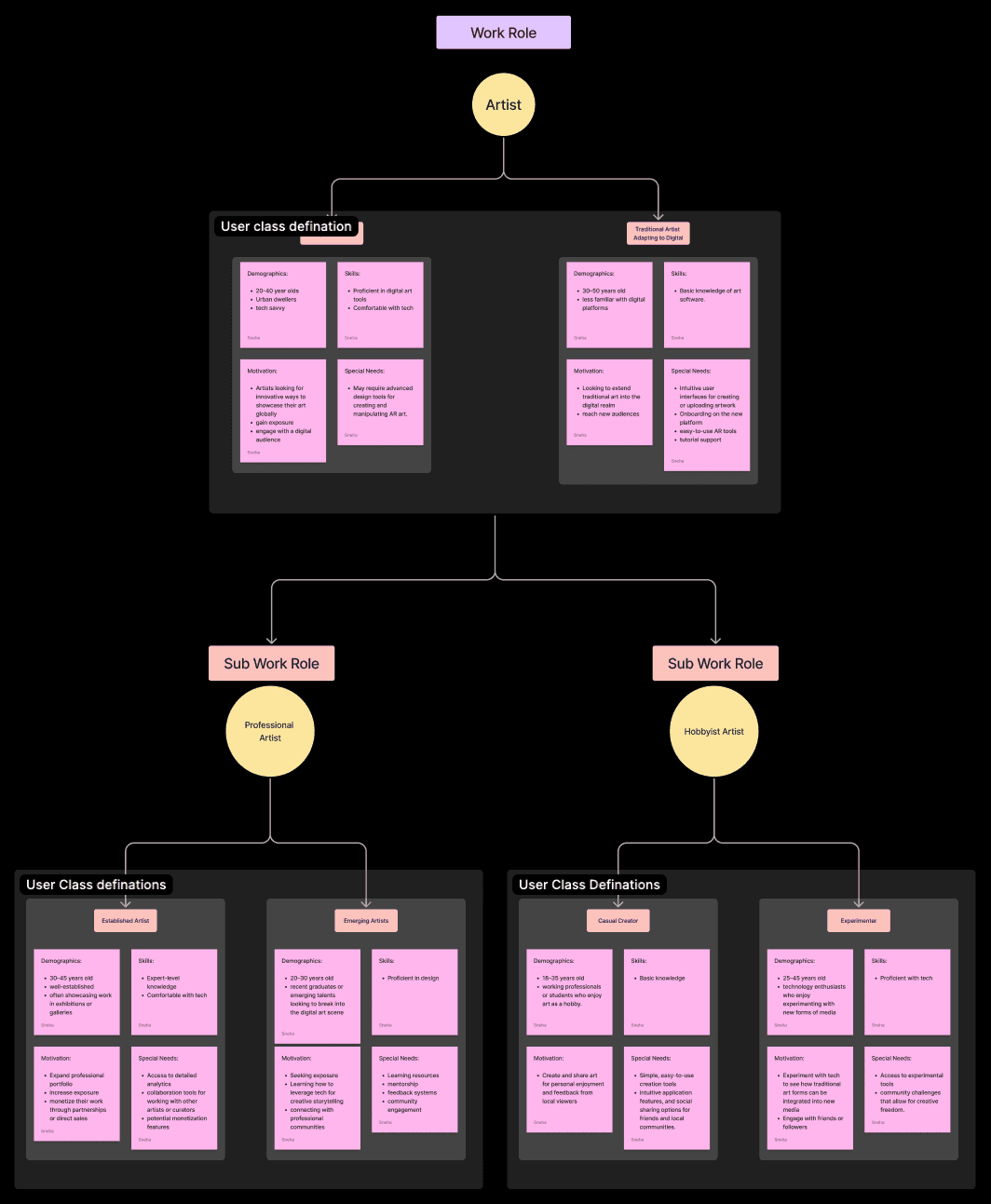
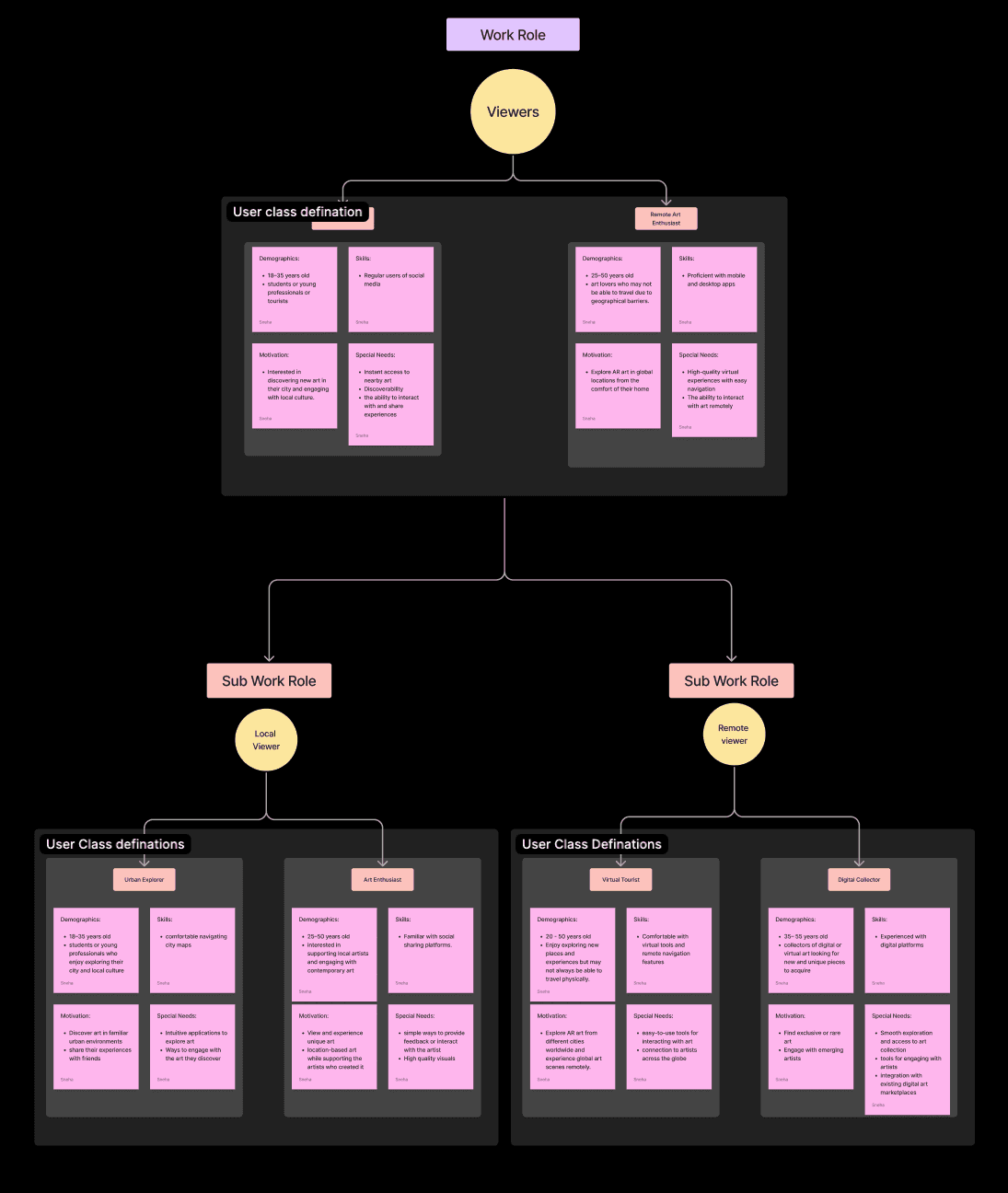
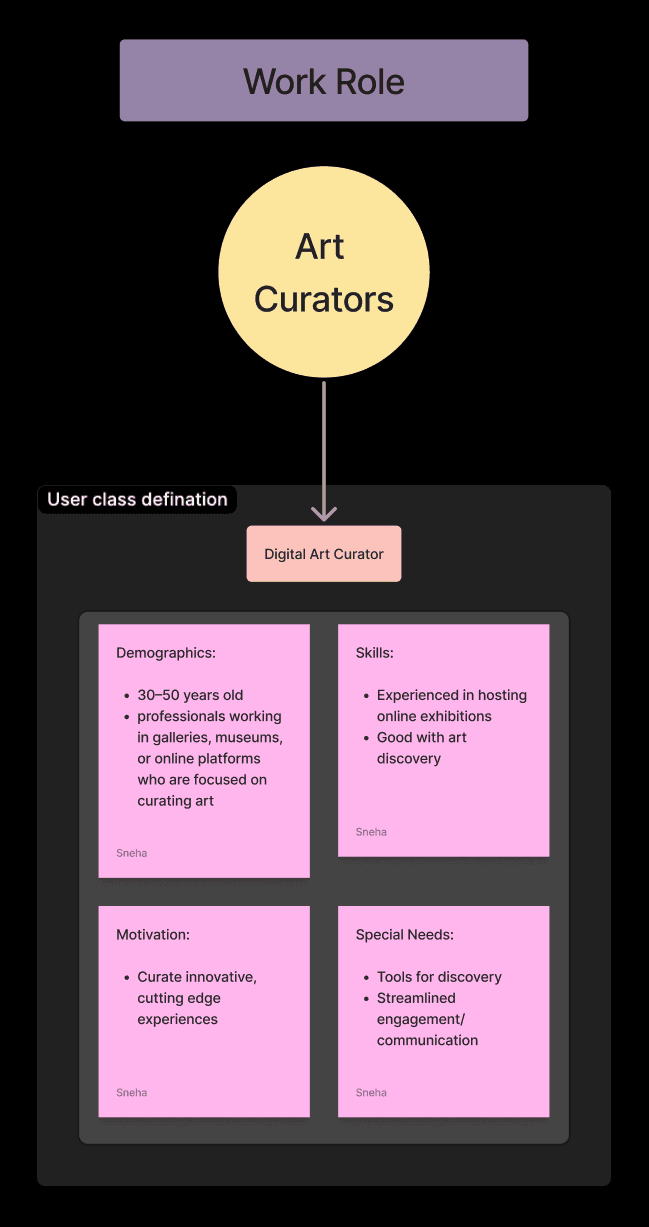
We needed a model to systematically understand user behaviors, goals, and workflows, ensuring the platform addressed diverse needs effectively. After exploring options like HTI, Artifact and Task Sequence Model, we chose the User Work Role Model for its ability to define user groups—artists, viewers, and curators—and align features with their specific roles and interactions.
We needed a model to systematically understand user behaviors, goals, and workflows, ensuring the platform addressed diverse needs effectively. After exploring options like HTI, Artifact and Task Sequence Model, we chose the User Work Role Model for its ability to define user groups—artists, viewers, and curators—and align features with their specific roles and interactions.
USER PERSONA
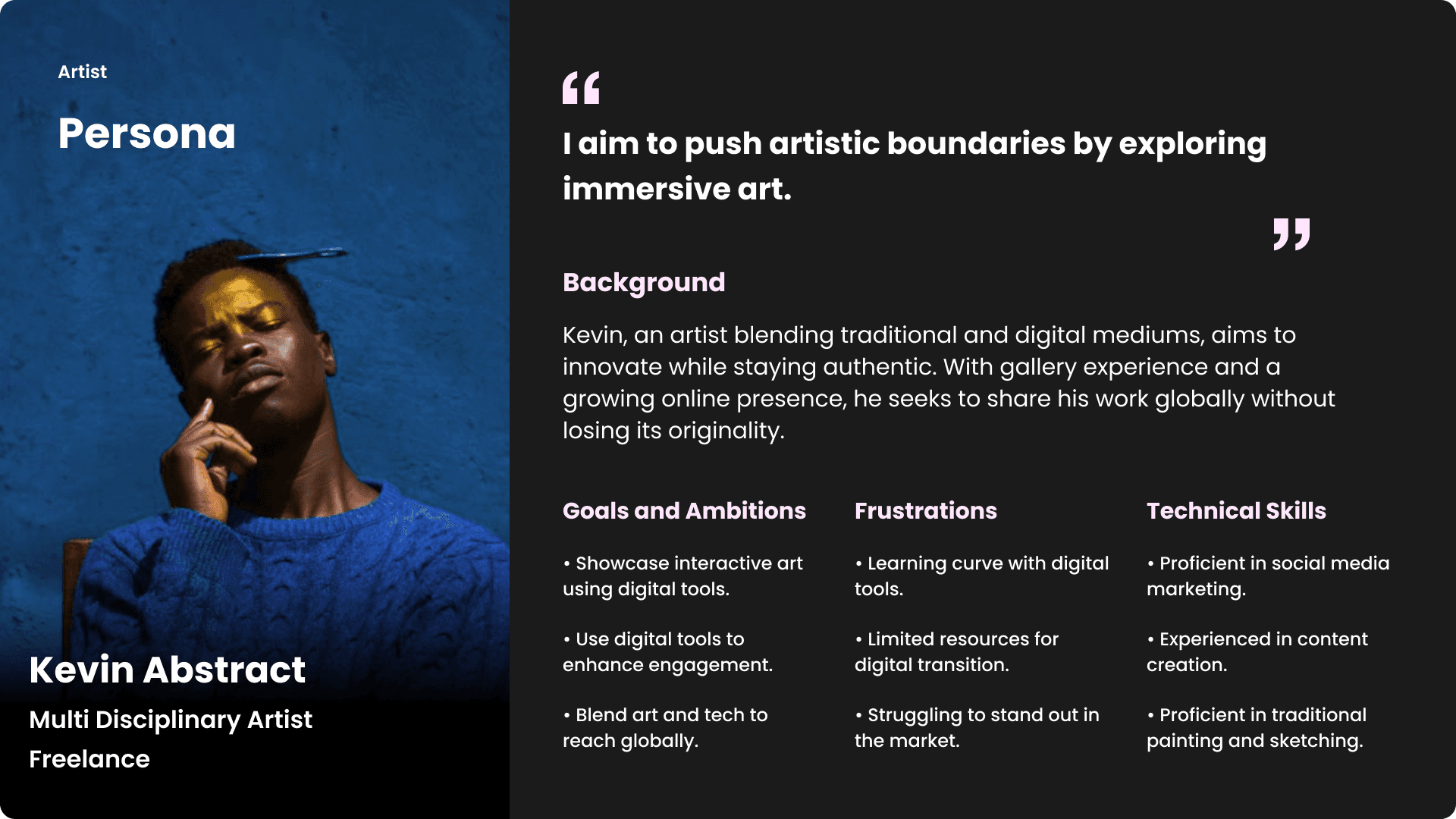
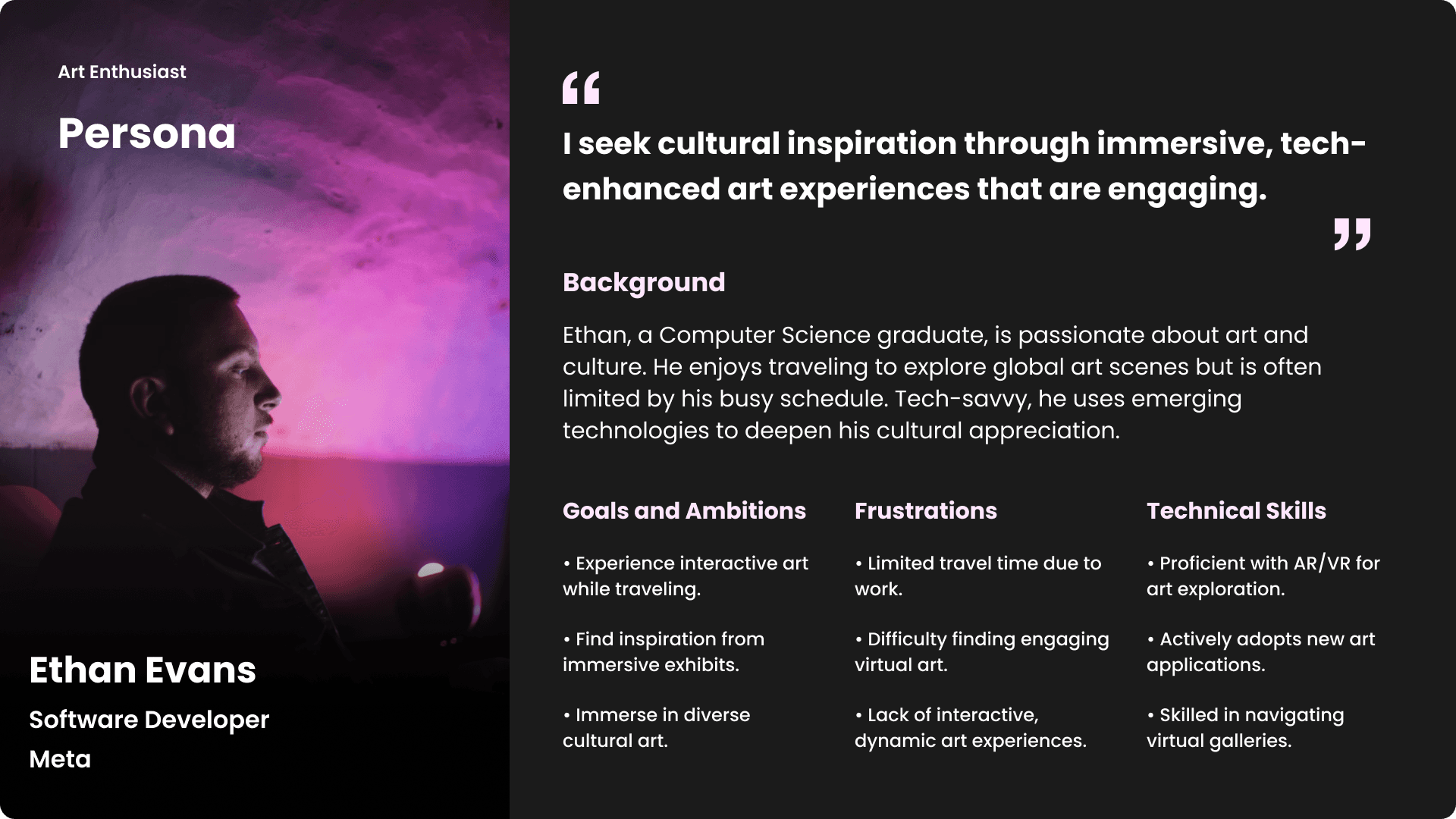
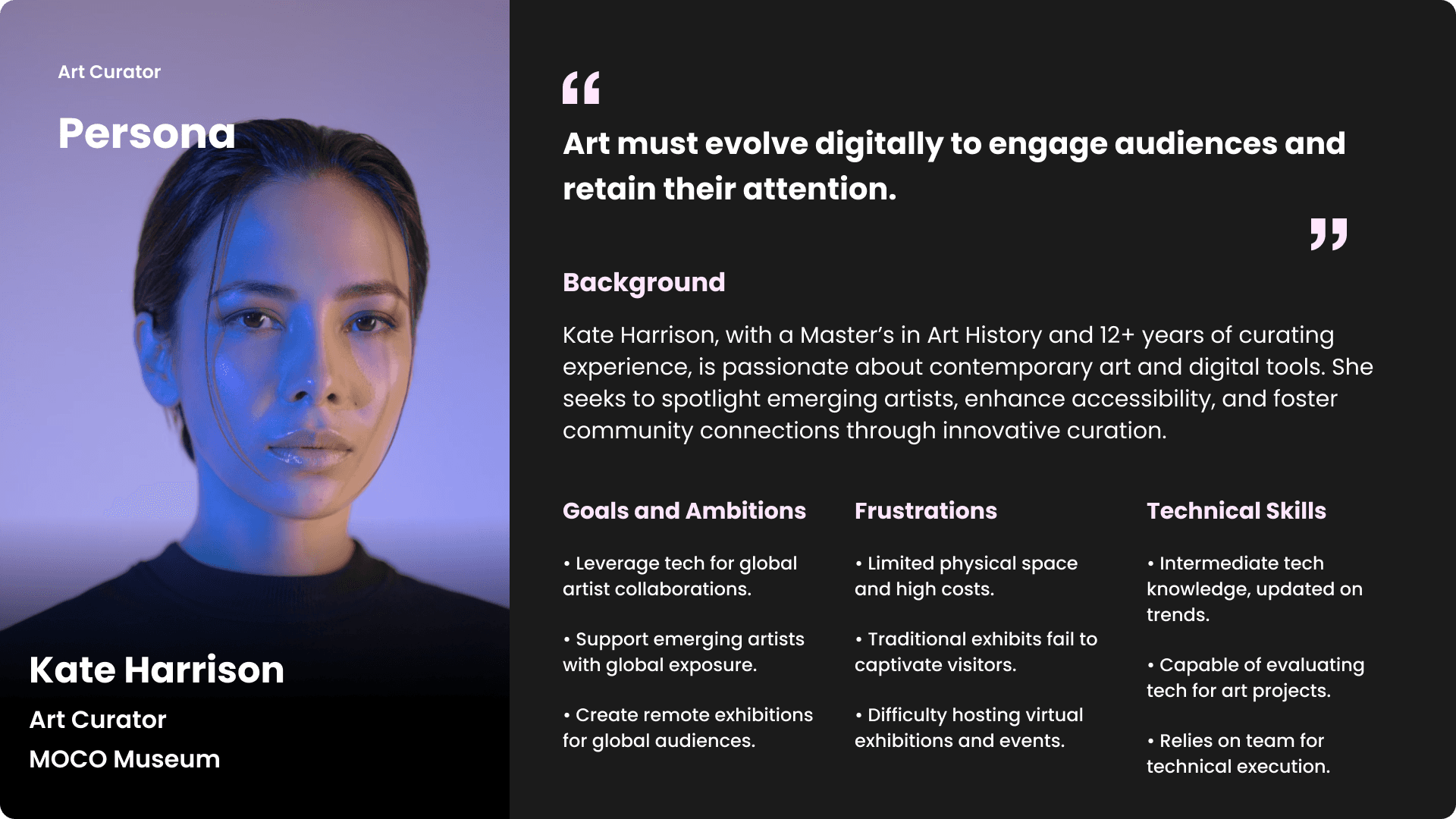
Based on research insights, we developed detailed user personas to represent the platform's key users—artists, viewers, and curators. Each persona captured their goals, pain points, and motivations, helping to align design decisions with user needs and create a more inclusive and intuitive experience.
Based on research insights, we developed detailed user personas to represent the platform's key users—artists, viewers, and curators. Each persona captured their goals, pain points, and motivations, helping to align design decisions with user needs and create a more inclusive and intuitive experience.
ideation
storyboarding
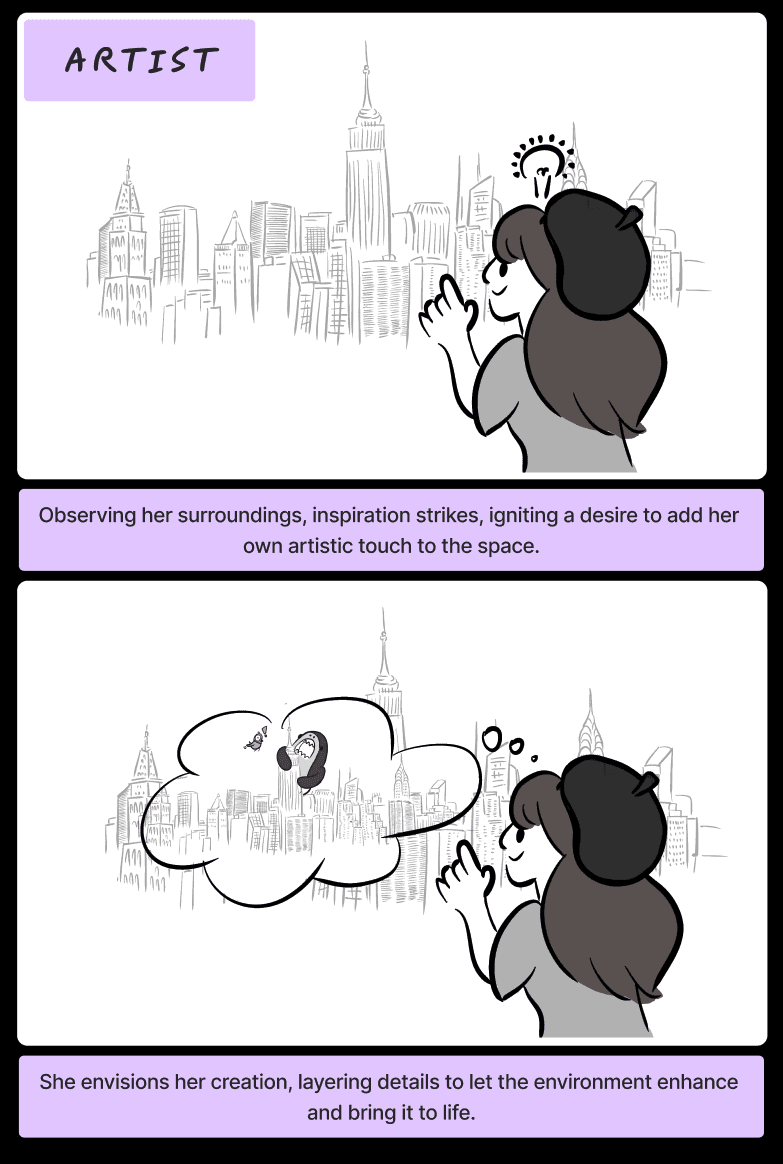
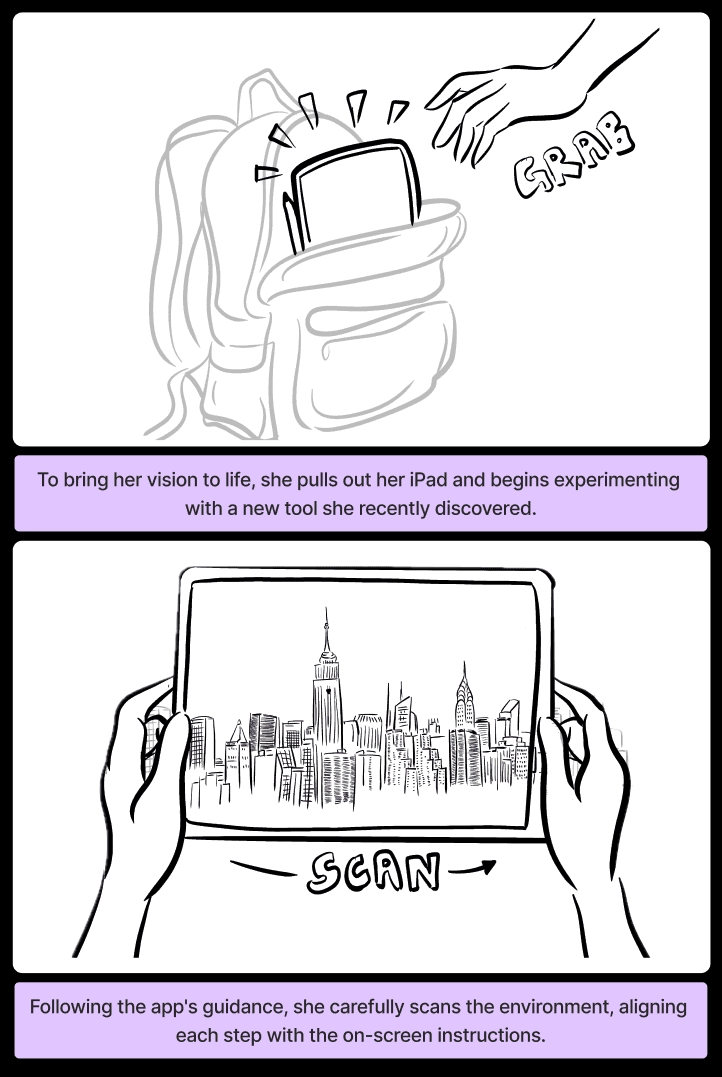
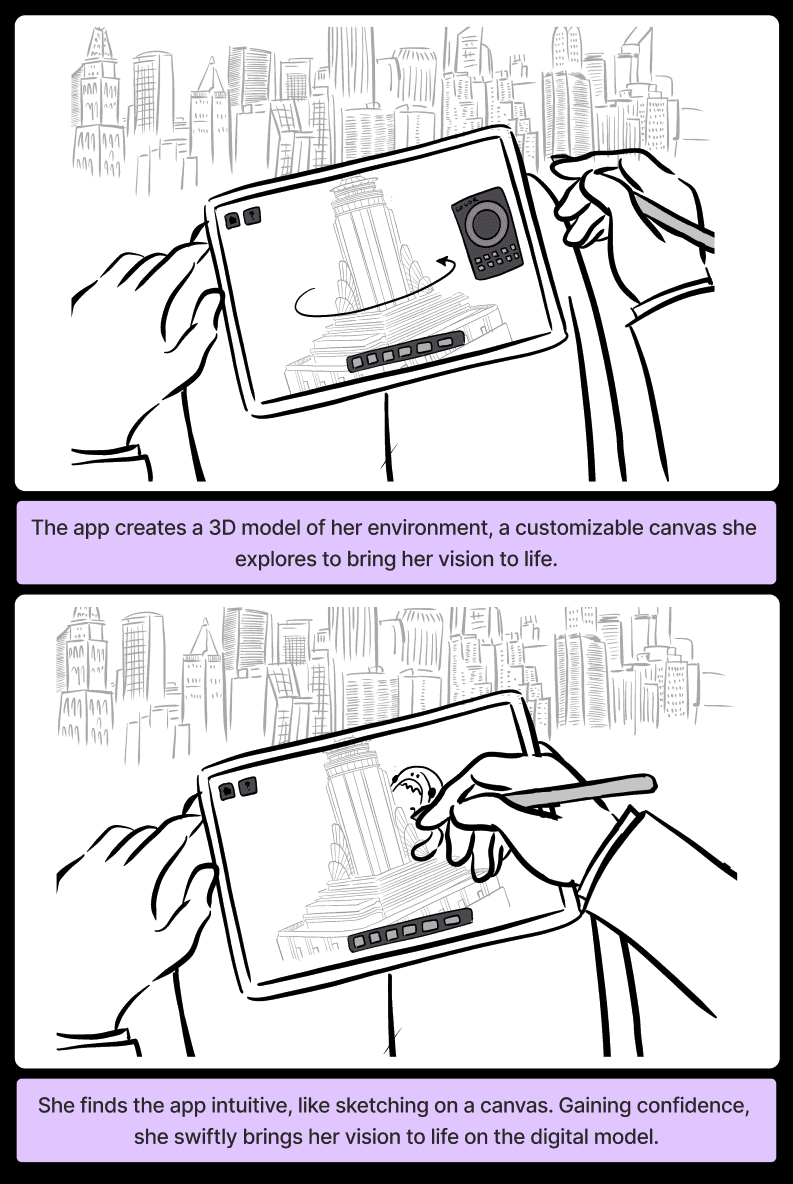
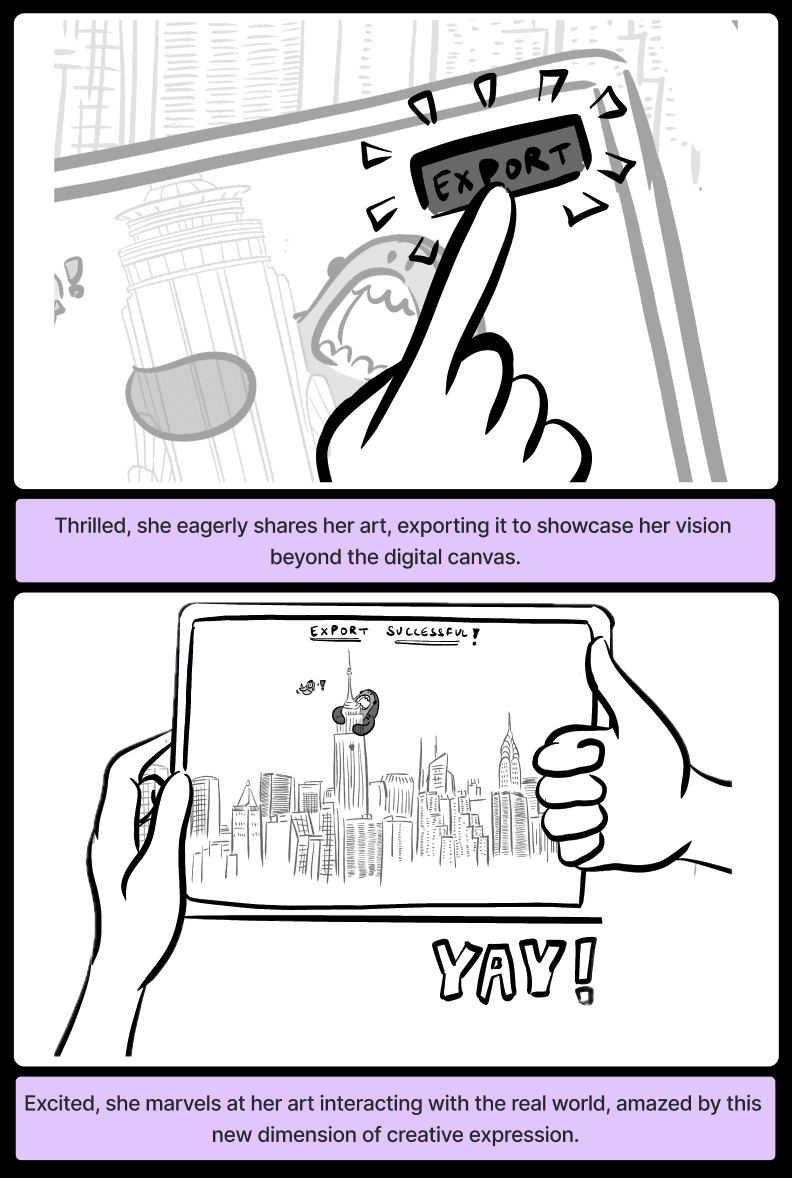
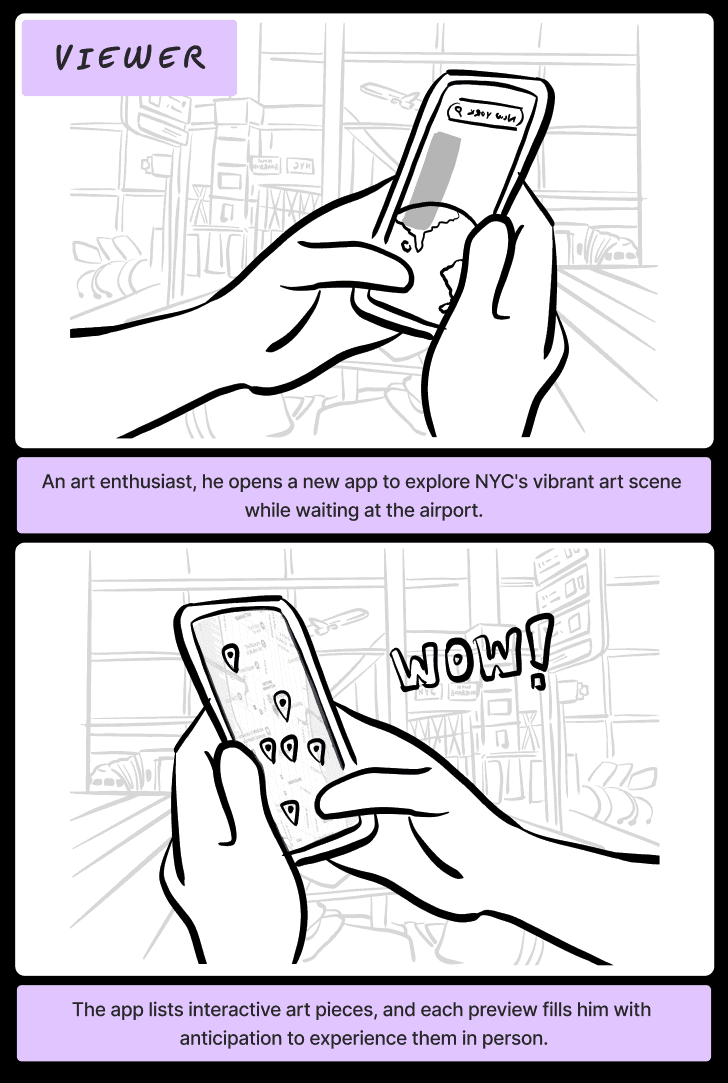
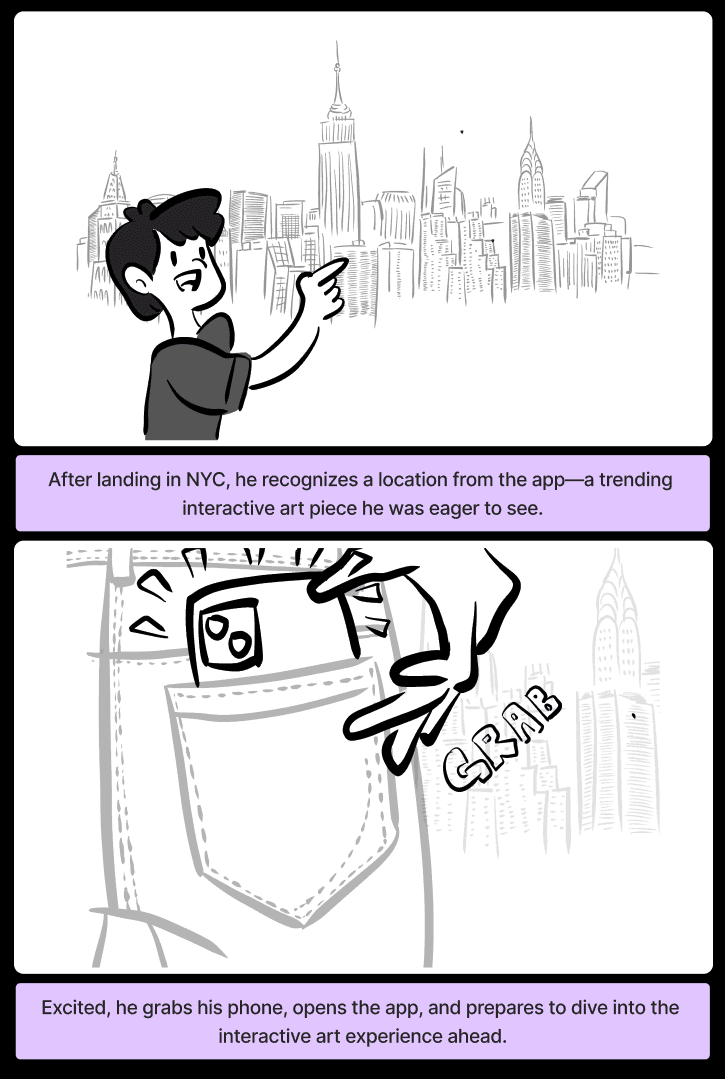
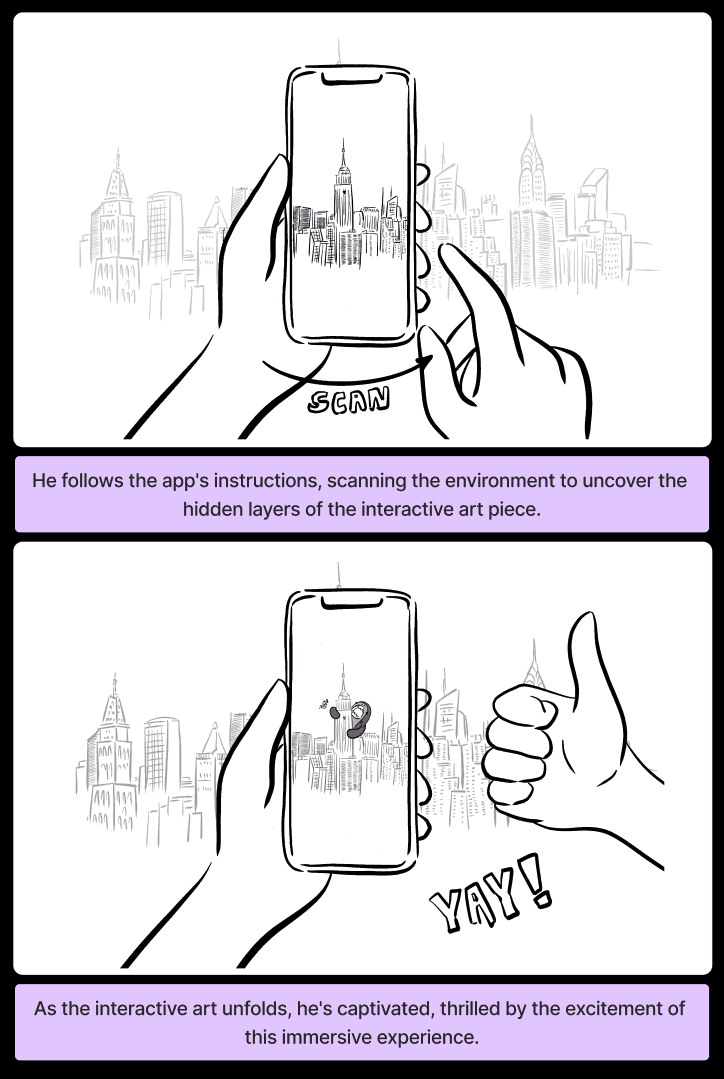
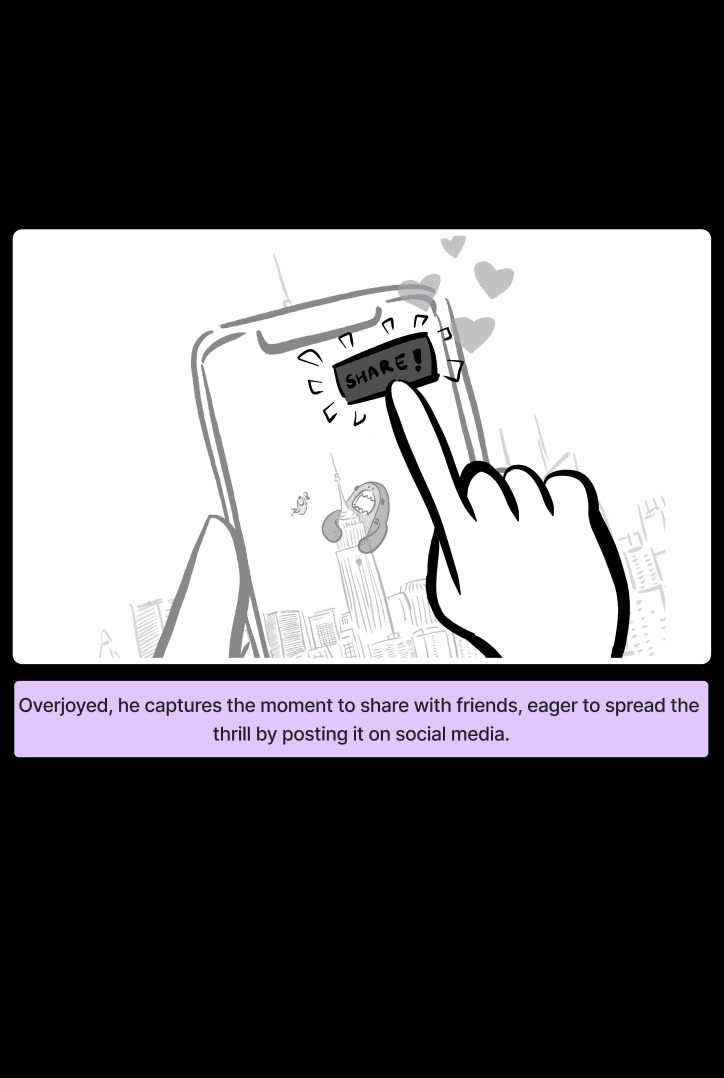
Building on the user personas, we created storyboards to visualize scenarios for both creators and viewers, focusing on their distinct interactions with the platform.
Building on the user personas, we created storyboards to visualize scenarios for both creators and viewers, focusing on their distinct interactions with the platform.
sketching
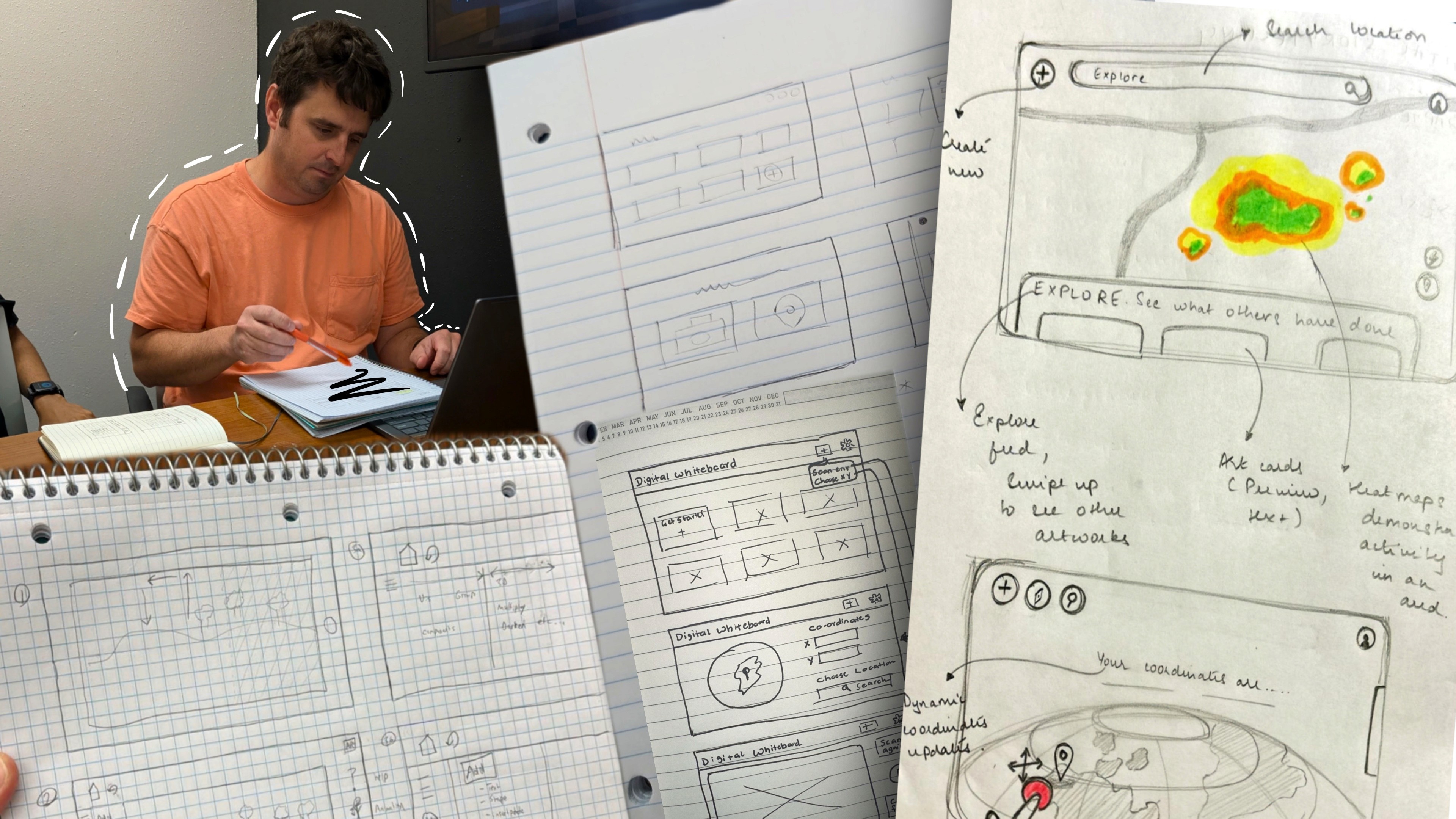
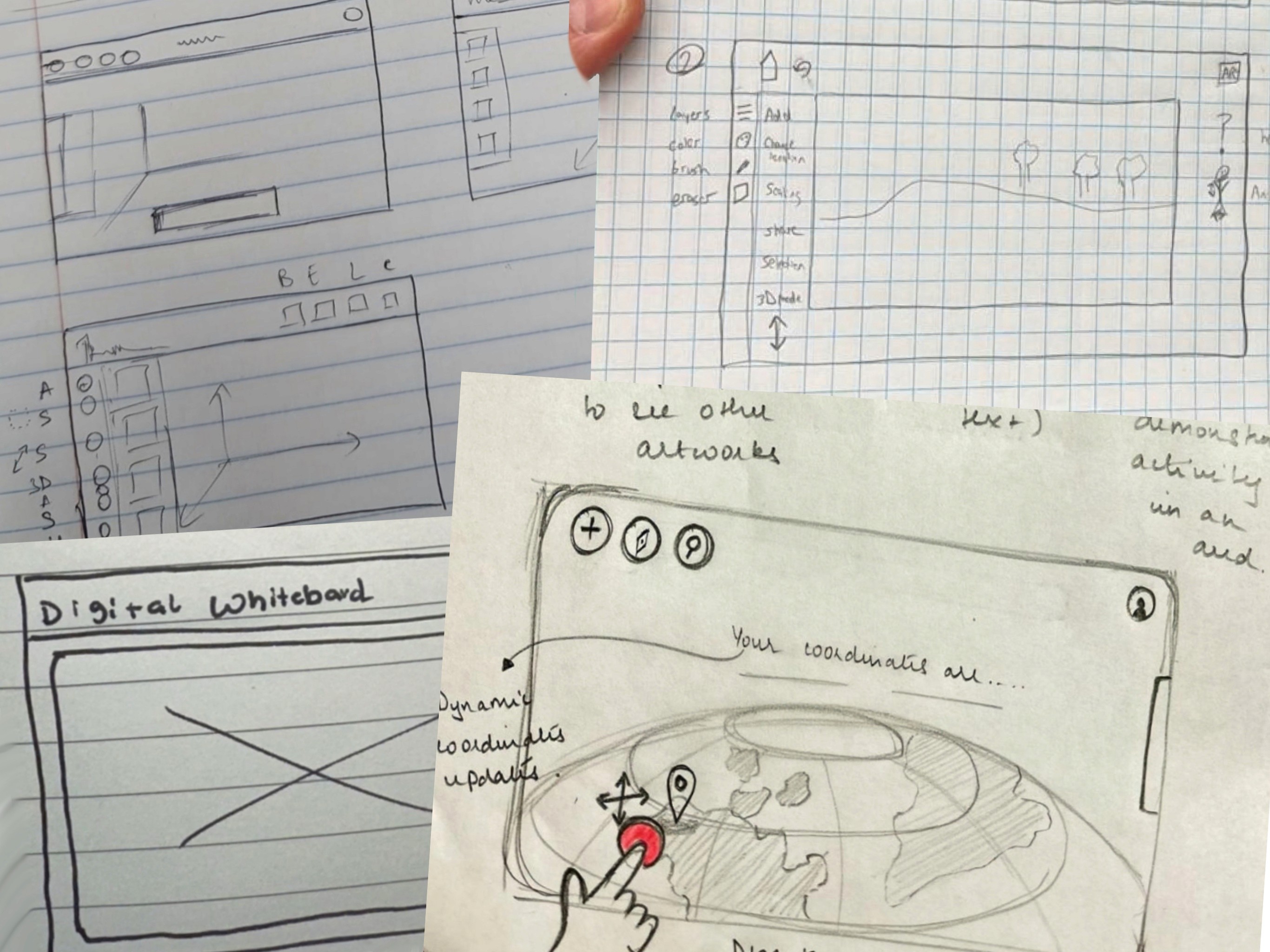
Following the storyboarding process, we created sketches to explore initial design concepts, laying the foundation for wireframes and prototypes.
Following the storyboarding process, we created sketches to explore initial design concepts, laying the foundation for wireframes and prototypes.
information architecture
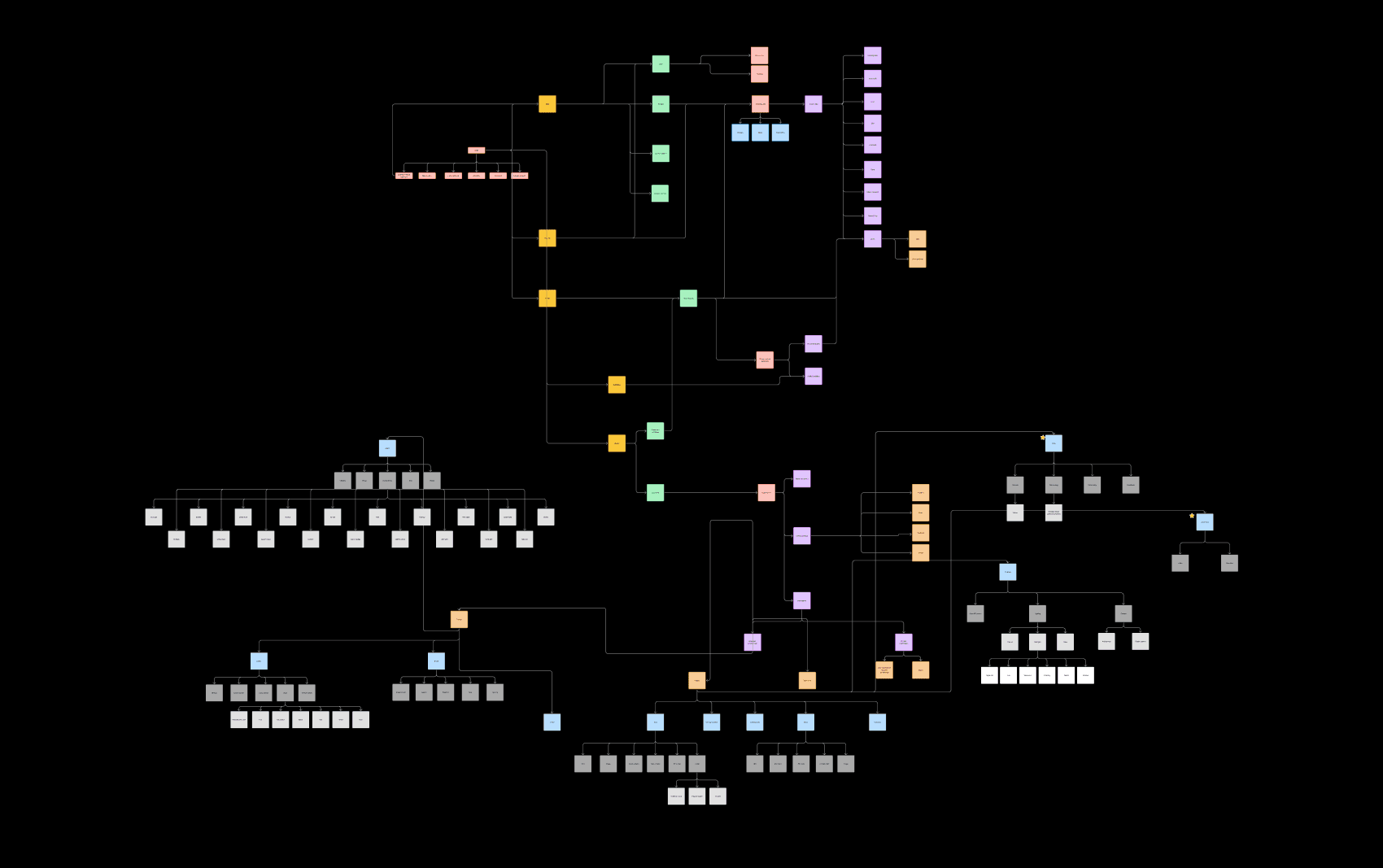
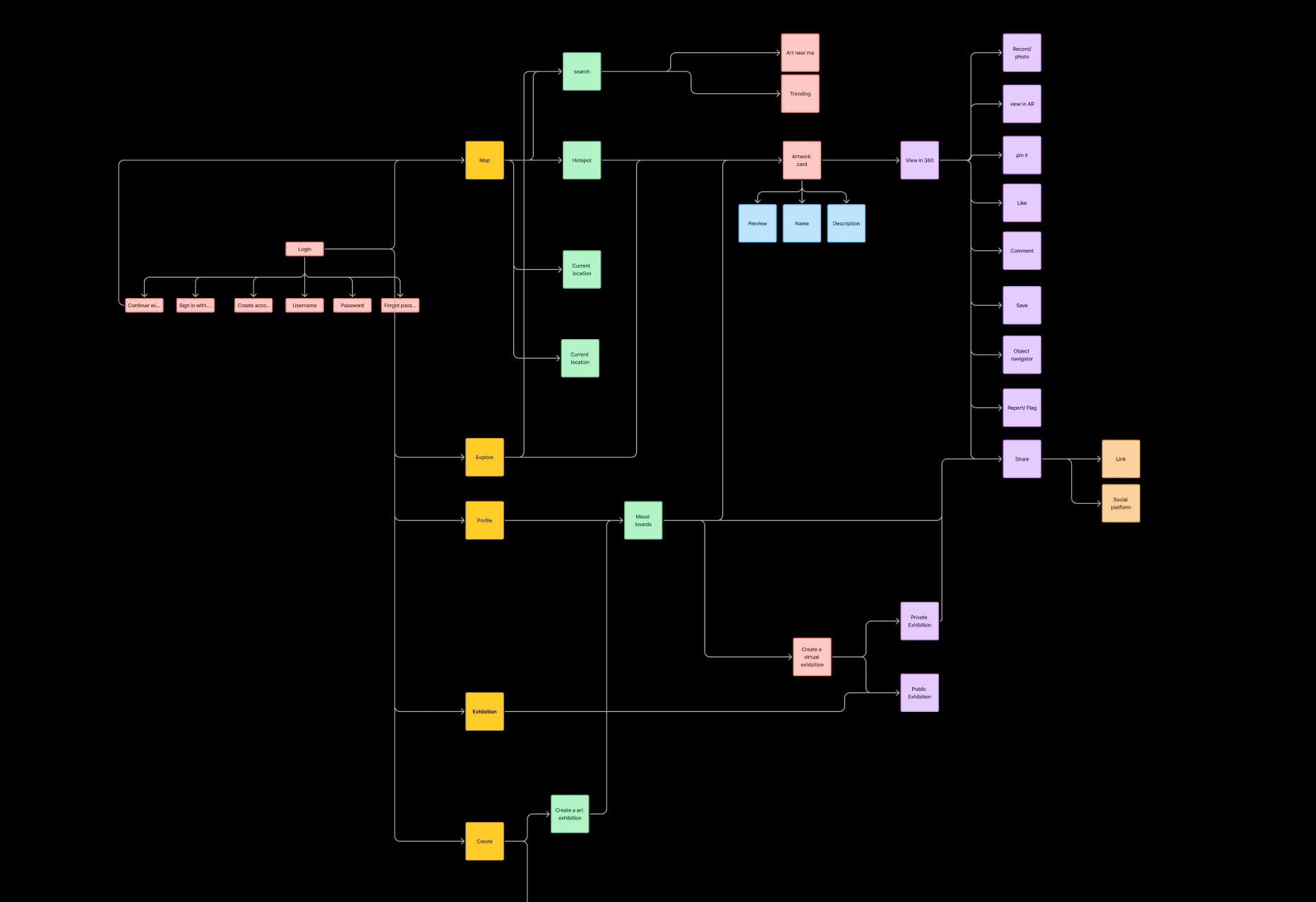
Once we finalized our user personas, we defined the Information Architecture to serve as the backbone of the platform, structuring how information is organized, accessed, and presented for both creators and viewers.
Once we finalized our user personas, we defined the Information Architecture to serve as the backbone of the platform, structuring how information is organized, accessed, and presented for both creators and viewers.
design
wireframing
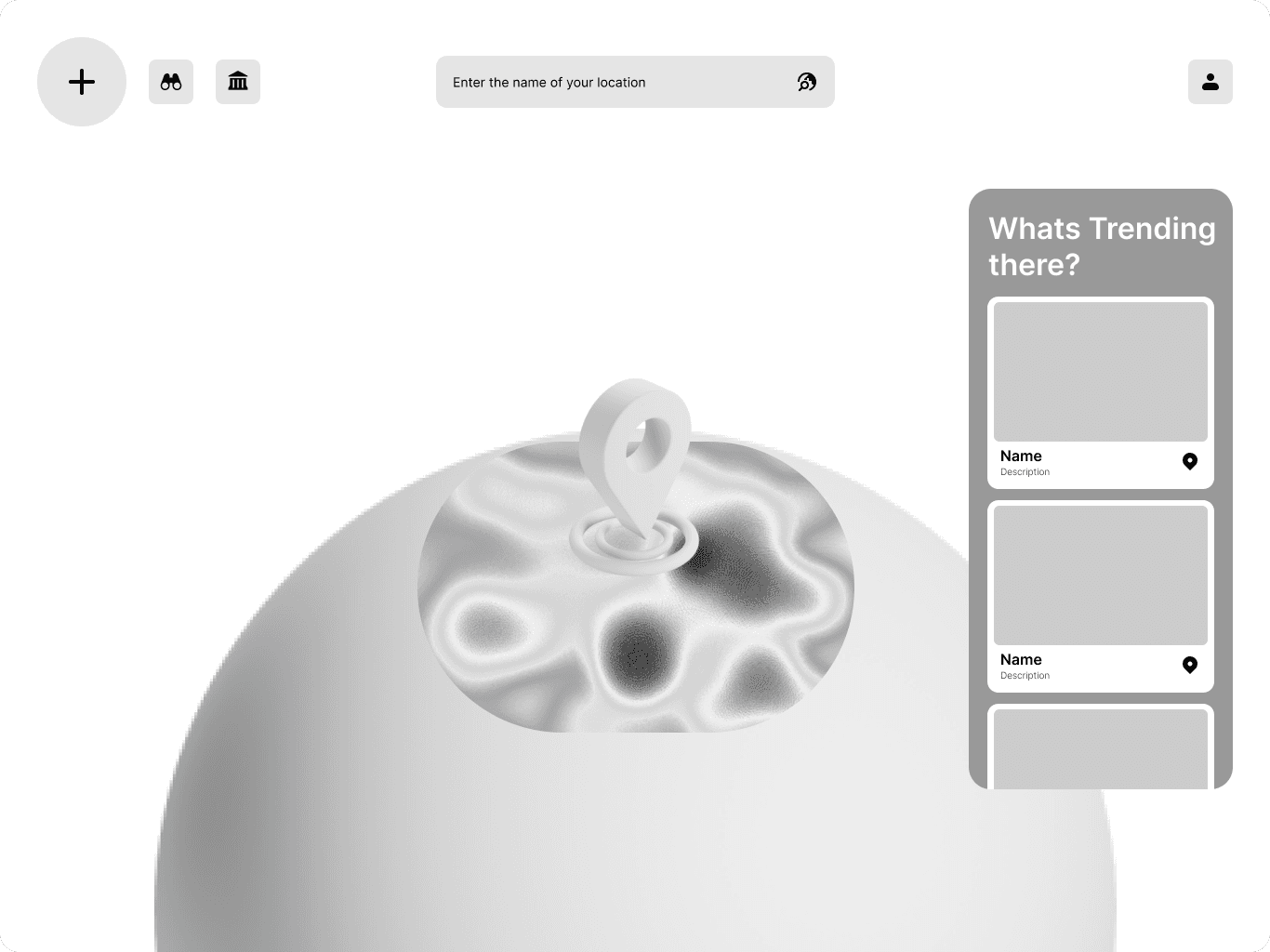
We built on the information architecture to create wireframes for the Digital Canvas project, defining its structure and focusing on intuitive navigation and functionality.
We built on the information architecture to create wireframes for the Digital Canvas project, defining its structure and focusing on intuitive navigation and functionality.
final design
HOME SCREEN
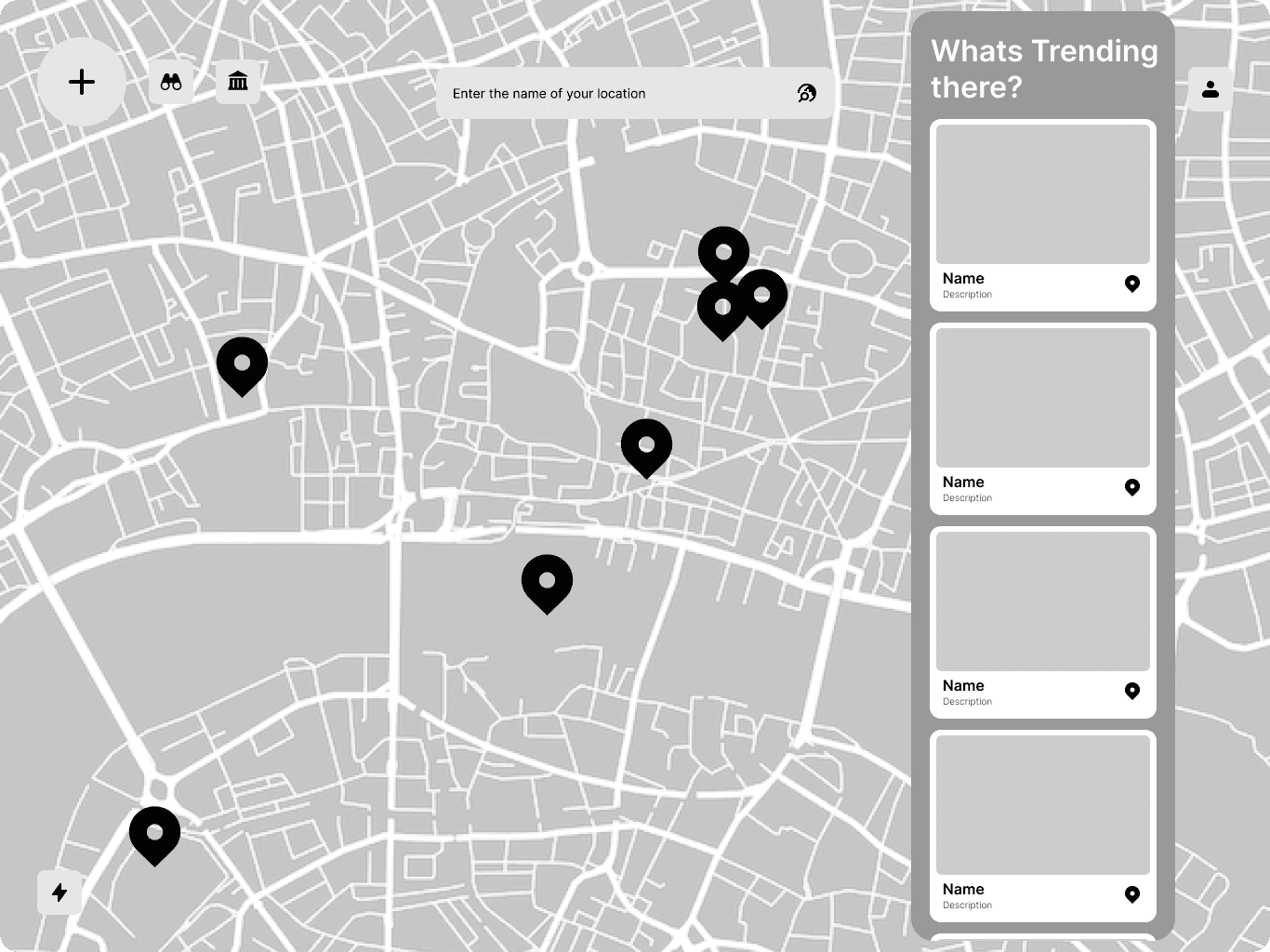
The home screen of Digital Canvas offers a personalized experience, allowing users to select their location, explore trending art at a glance, and access creation and exploration tools at their fingertips.
The home screen of Digital Canvas offers a personalized experience, allowing users to select their location, explore trending art at a glance, and access creation and exploration tools at their fingertips.
explore screen
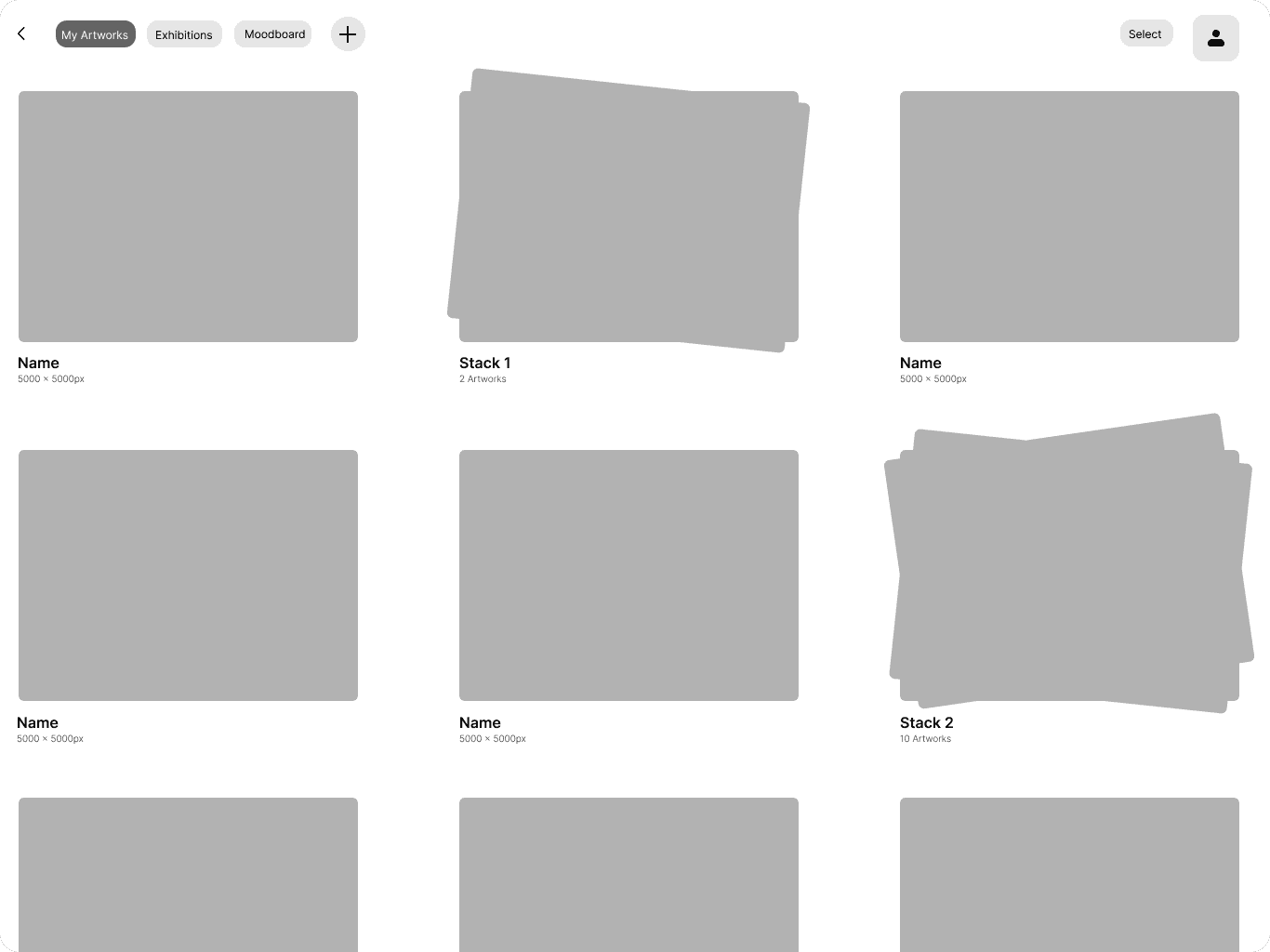
The Explore screen showcases popular art from around the world and features blogs, offering visibility to emerging artists and inspiring a global creative connection.
The Explore screen showcases popular art from around the world and features blogs, offering visibility to emerging artists and inspiring a global creative connection.
discover screen
The Discover screen brings local art to life, allowing users to explore it in AR, interact with installations nearby, share their experiences on social media, and leave comments to connect with creators.
The Discover screen brings local art to life, allowing users to explore it in AR, interact with installations nearby, share their experiences on social media, and leave comments to connect with creators.
create screen
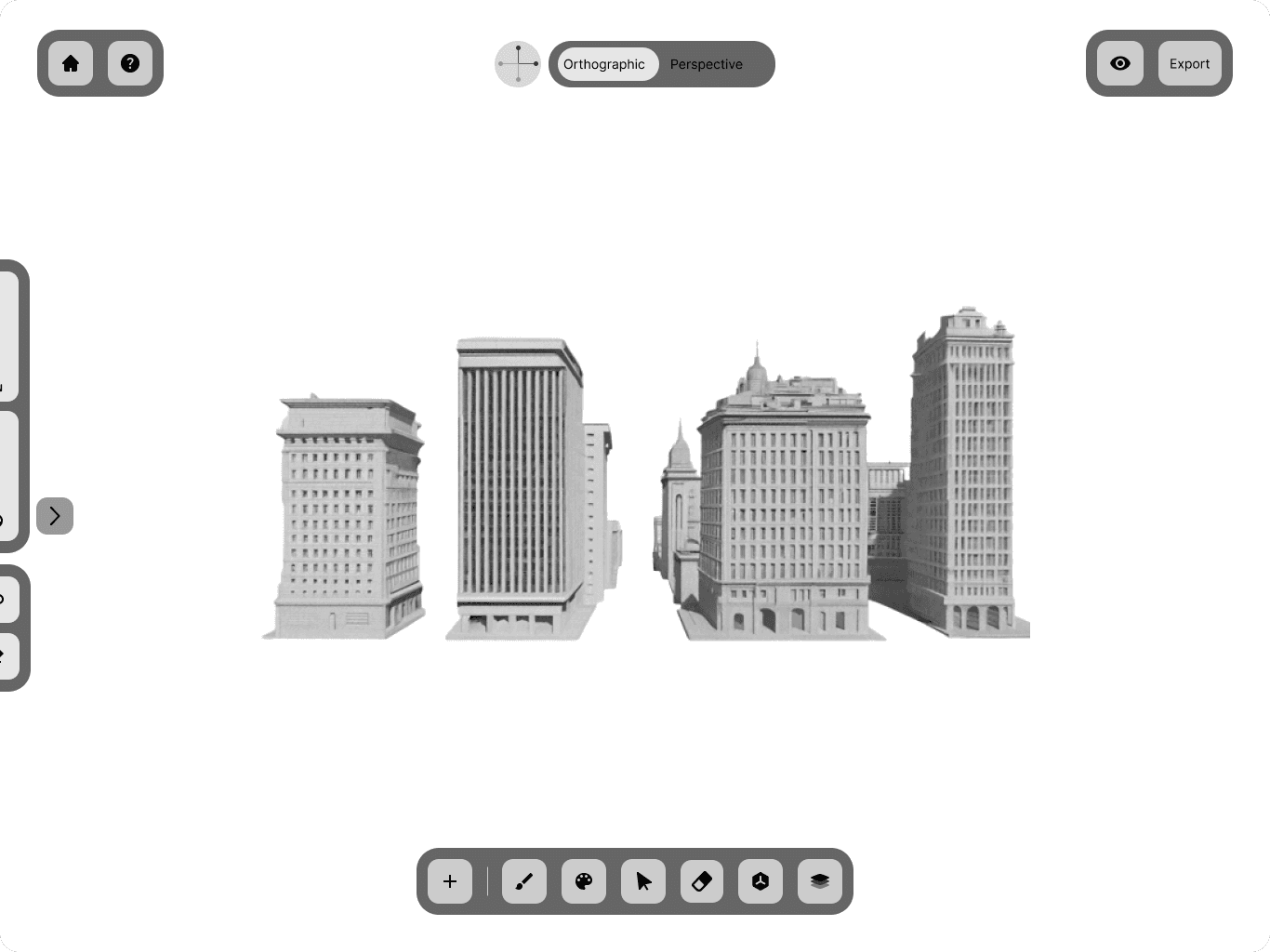
The Create screen lets you design AR art by scanning your surroundings and creating directly on them, offering a variety of 3D tools through an intuitive interface.
The Create screen lets you design AR art by scanning your surroundings and creating directly on them, offering a variety of 3D tools through an intuitive interface.
PROTOTYPE
Create, Discover and Explore.
Create, Discover and Explore.
USER TESTING
PILOT TEST
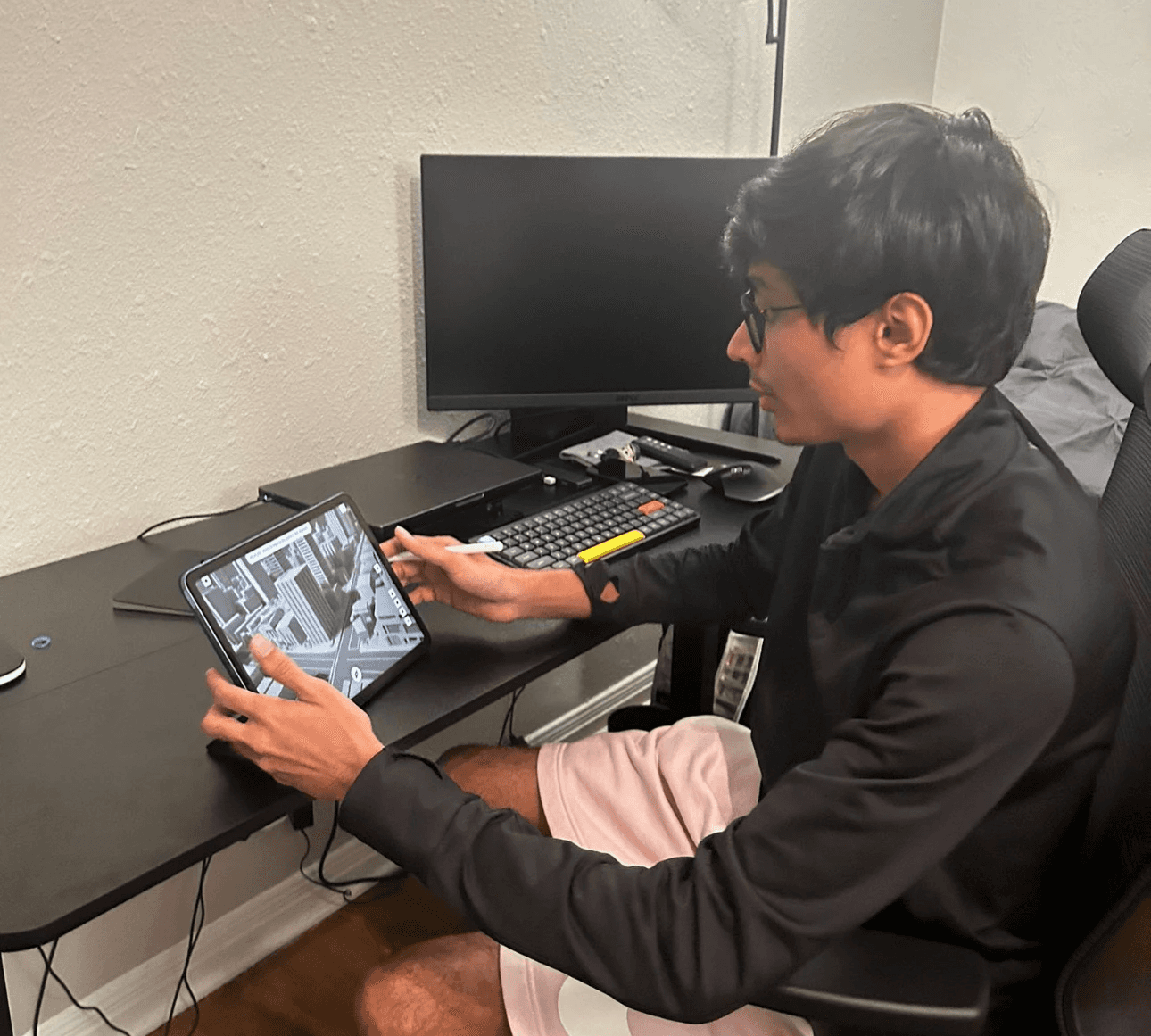
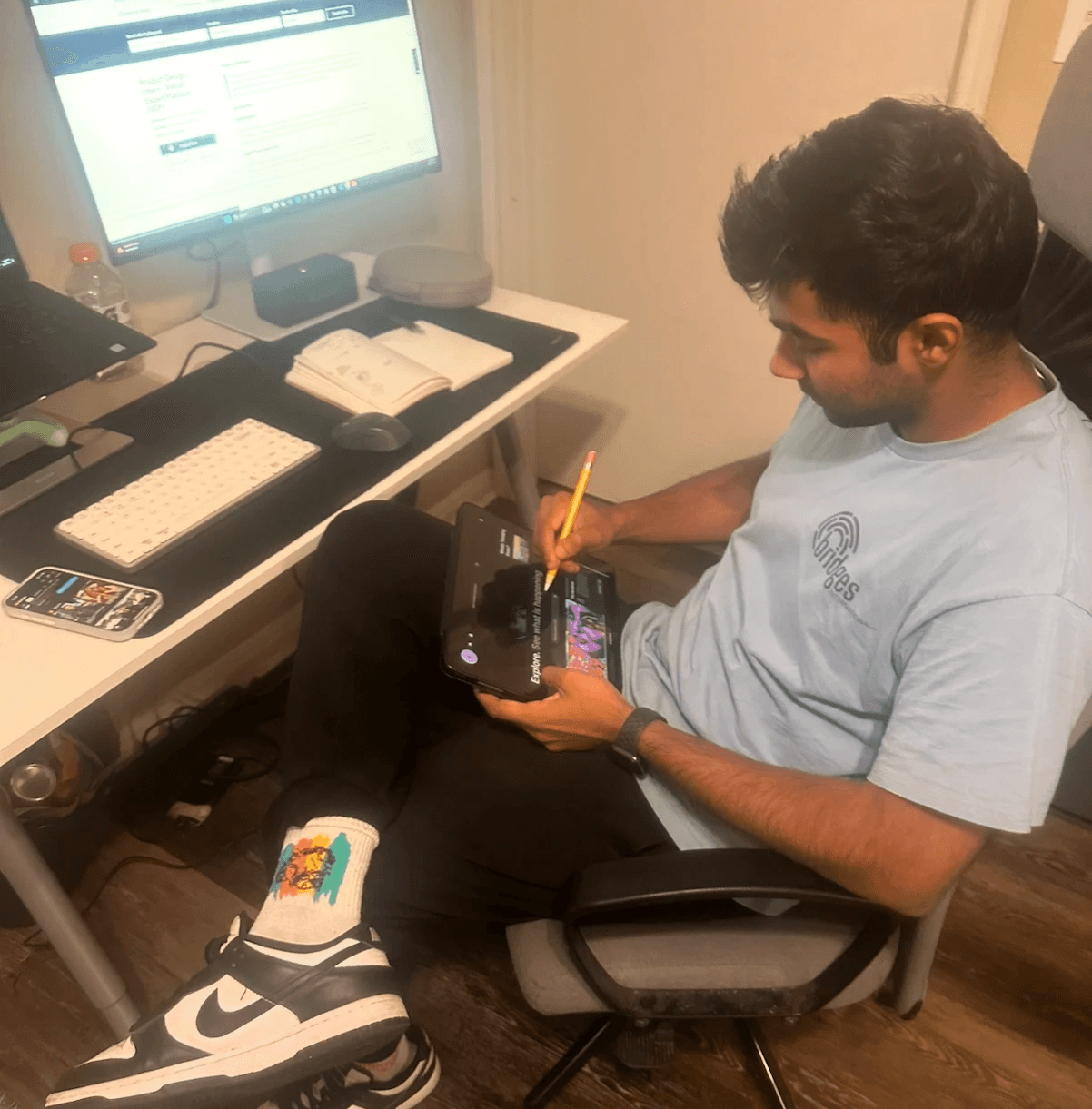
We handed the tester the iPad with the prototype and invited them to explore freely, without any prior briefing. This allowed us to observe the natural discovery process and how intuitive the user journey was for someone new to the application.
We handed the tester the iPad with the prototype and invited them to explore freely, without any prior briefing. This allowed us to observe the natural discovery process and how intuitive the user journey was for someone new to the application.
feedback
"The app let me explore creating digital art effortlessly, even as a beginner. I loved placing my work in real-world locations and experimenting with features like lighting customization."

User
"Exploring art remotely through this platform was incredible! Its intuitive interface, moodboard feature, and exhibition options made engaging with digital art effortless and exciting."

User
"The GeoSpatial Application made creating and sharing art exciting, especially with tools like animations and scene building. The ability to share work with specific people felt incredibly personal."
User
"The app let me explore creating digital art effortlessly, even as a beginner. I loved placing my work in real-world locations and experimenting with features like lighting customization."
User
"The app let me explore creating digital art effortlessly, even as a beginner. I loved placing my work in real-world locations and experimenting with features like lighting customization."
User
"Exploring art remotely through this platform was incredible! Its intuitive interface, moodboard feature, and exhibition options made engaging with digital art effortless and exciting."
User
"The GeoSpatial Application made creating and sharing art exciting, especially with tools like animations and scene building. The ability to share work with specific people felt incredibly personal."
User
"The app let me explore creating digital art effortlessly, even as a beginner. I loved placing my work in real-world locations and experimenting with features like lighting customization."
User
reflections
This project taught me the value of collaboration and iterative design in refining user experiences. Working closely with my team, we focused on improving onboarding and providing better guidance for complex features. It gave me confidence in tackling design challenges with a user-centered approach.
This project taught me the value of collaboration and iterative design in refining user experiences. Working closely with my team, we focused on improving onboarding and providing better guidance for complex features. It gave me confidence in tackling design challenges with a user-centered approach.